> ## Documentation Index
> Fetch the complete documentation index at: https://help.ip2up.com/llms.txt
> Use this file to discover all available pages before exploring further.
# Proxy Usage
All proxy products of the platform need to be used in an overseas network environment, which requires customers to configure themselves.
This article will introduce how to purchase dynamic residential proxy IPs on the **Ip2up platform**, and obtain and use proxy information.
### Login and View Account Status
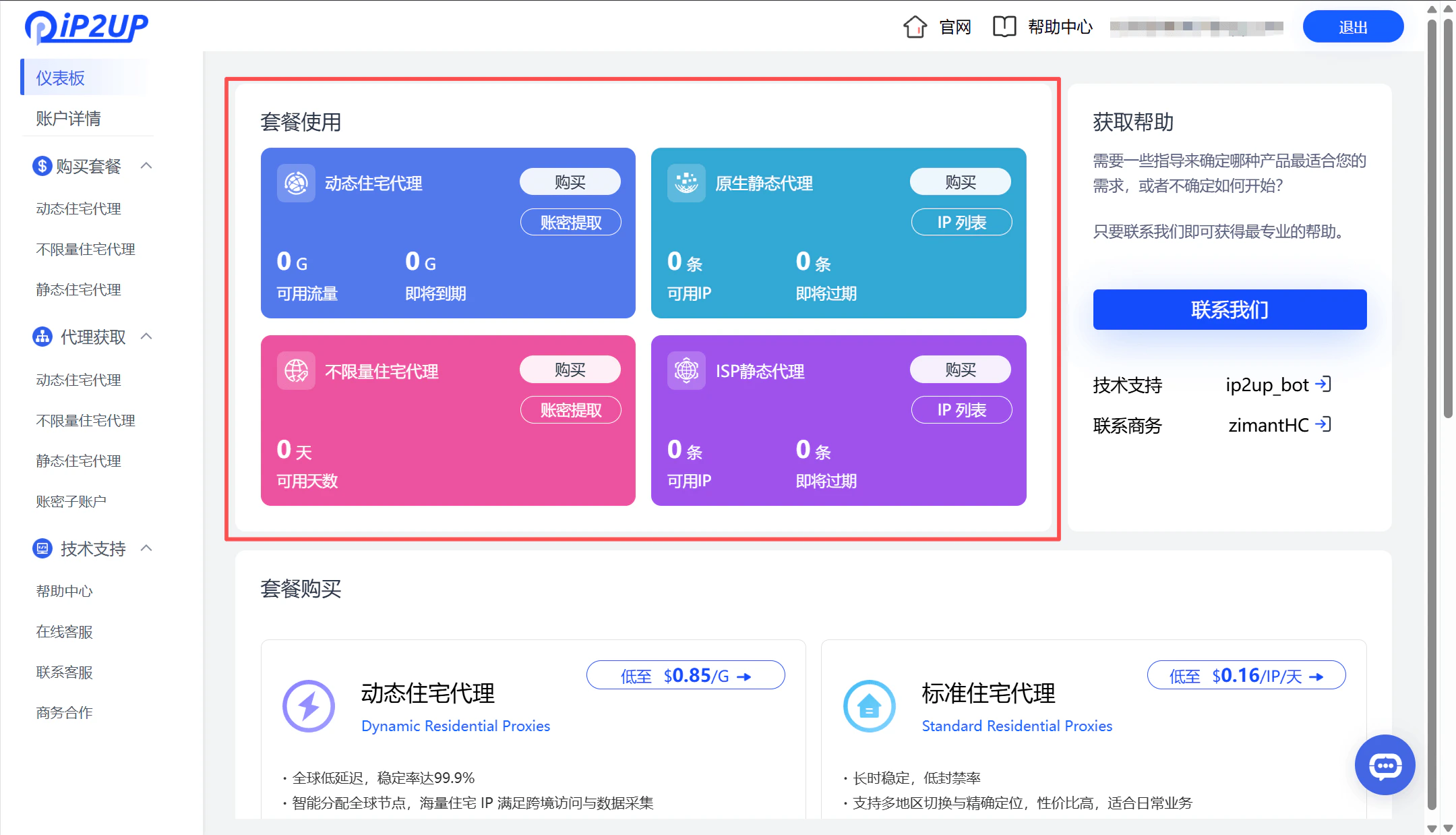
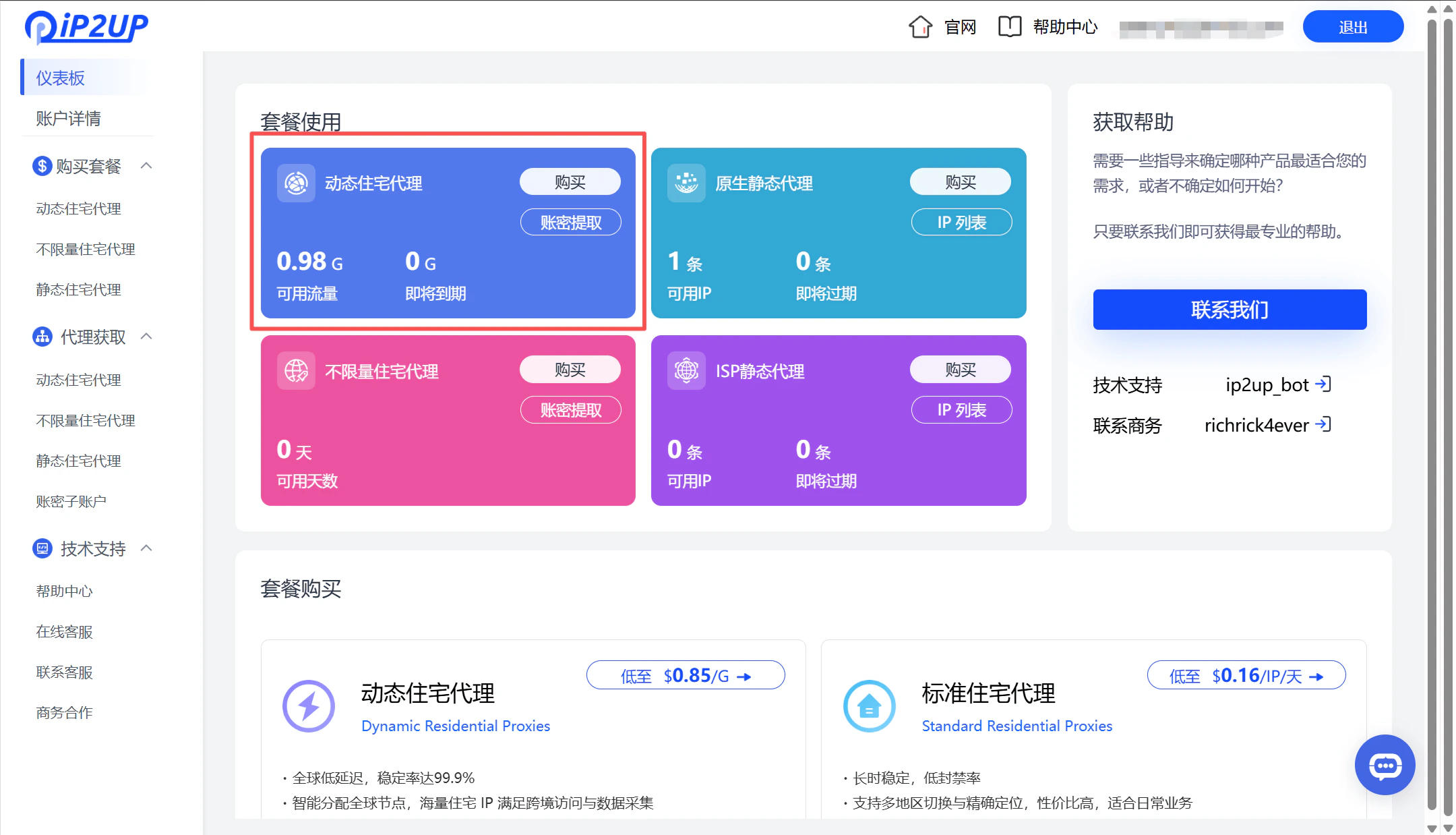
Visit **[Ip2up Official Website](https://www.Ip2up.com/zh-cn/)** to log in to your account. The system will automatically enter the dashboard interface. You can view existing proxy package purchases and overall account status on this page.
 ### Select and Purchase Proxy Package
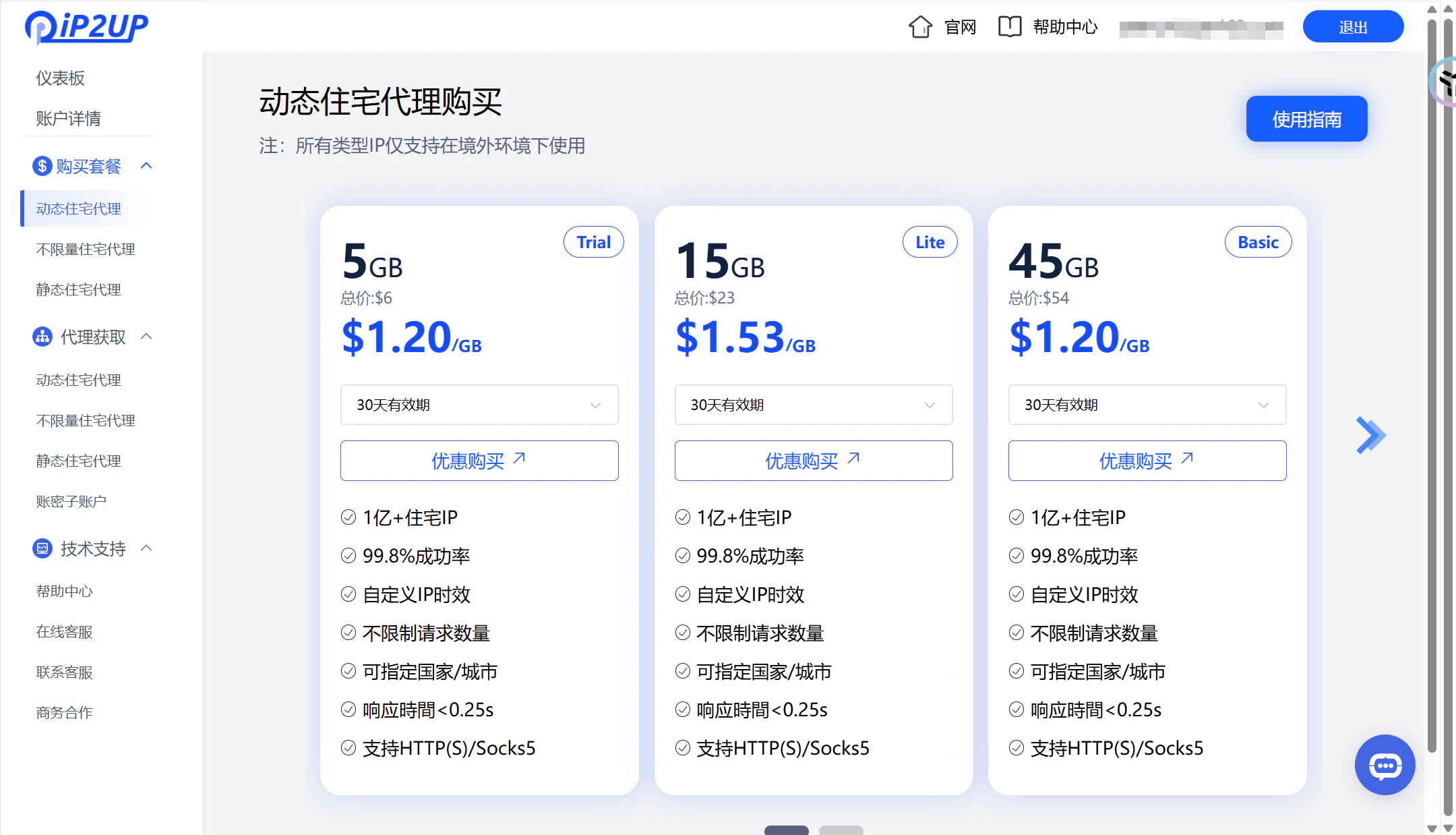
1. Click **Purchase Package** → **Dynamic Residential Proxy** in the left menu bar
2. Select the corresponding package according to your needs configuration
### Select and Purchase Proxy Package
1. Click **Purchase Package** → **Dynamic Residential Proxy** in the left menu bar
2. Select the corresponding package according to your needs configuration
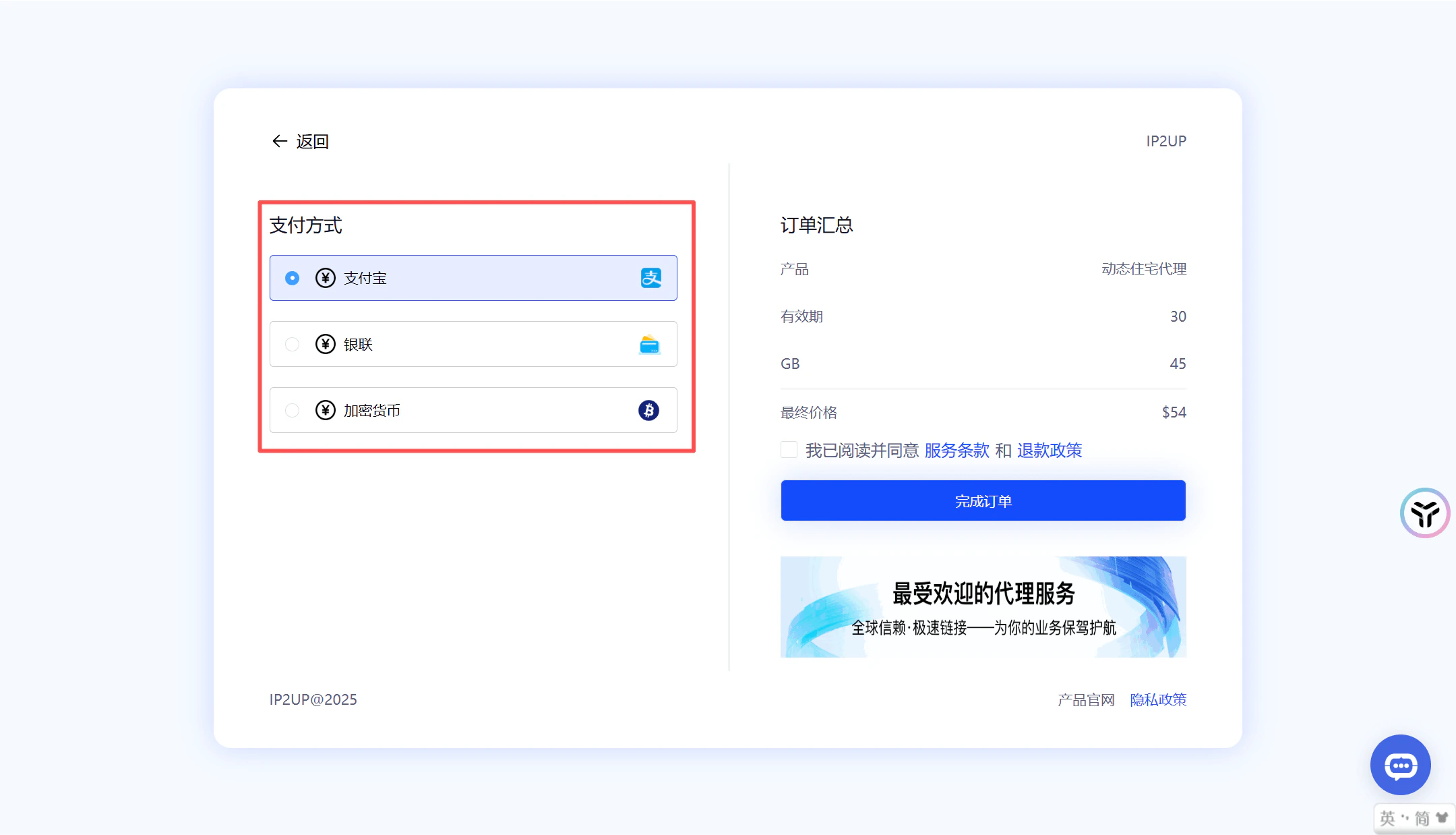
 3. Select the package, click **Pay** to complete the purchase
4. Supported payment methods:
* Alipay
* Cryptocurrency payment
* UnionPay
* For other payment methods, please contact customer service
3. Select the package, click **Pay** to complete the purchase
4. Supported payment methods:
* Alipay
* Cryptocurrency payment
* UnionPay
* For other payment methods, please contact customer service
 ### View Purchase Results
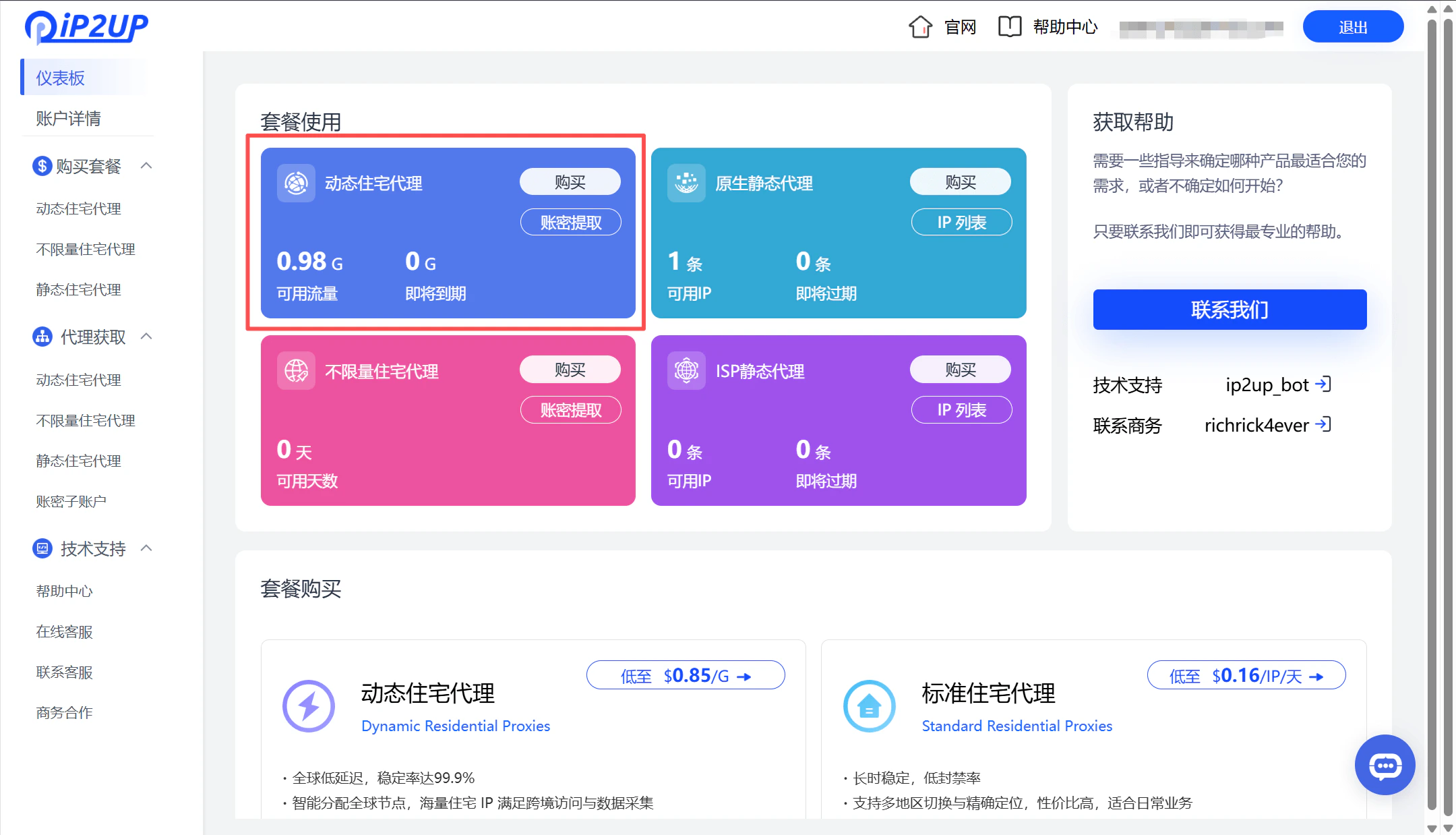
After payment is completed, return to the dashboard page to view current purchase information and available resource status.
### View Purchase Results
After payment is completed, return to the dashboard page to view current purchase information and available resource status.
 ### Obtain and Configure Proxy Information
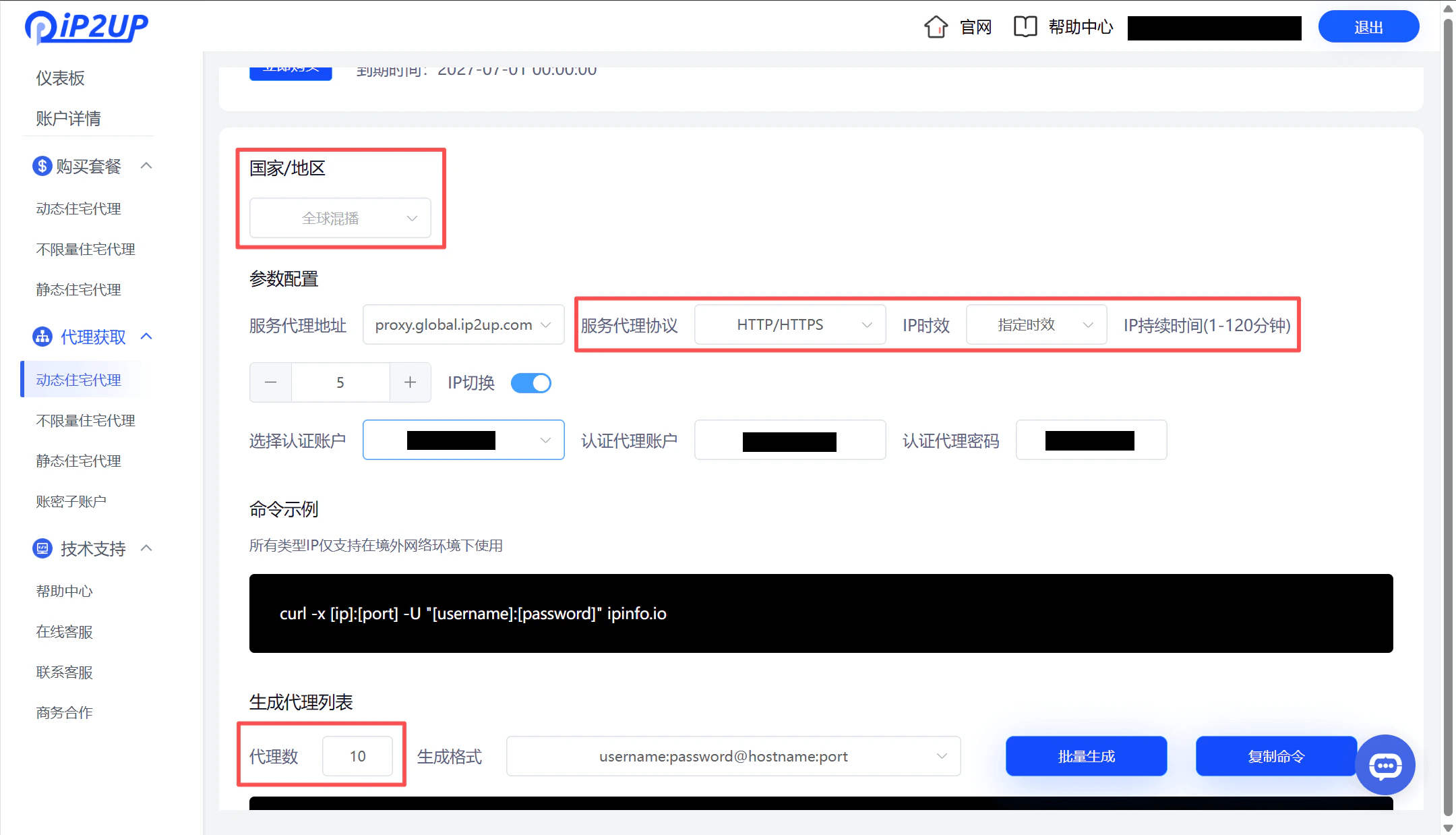
1. Click **Proxy Acquisition** → **Dynamic Residential Proxy** in the left menu bar.
2. When generating proxy information, choose according to your proxy software requirements:
* Country/Region
* Proxy Protocol (HTTP/HTTPS/SOCKS5)
* IP Validity
* Quantity
### Obtain and Configure Proxy Information
1. Click **Proxy Acquisition** → **Dynamic Residential Proxy** in the left menu bar.
2. When generating proxy information, choose according to your proxy software requirements:
* Country/Region
* Proxy Protocol (HTTP/HTTPS/SOCKS5)
* IP Validity
* Quantity
 3. Proxy Information Composition: Generated proxy information contains the following four parts:
* Proxy Account
* Password
* Server Address
* Port Number
4. Proxy Format Example
```
username:password@proxy.ip2up.com:port
```
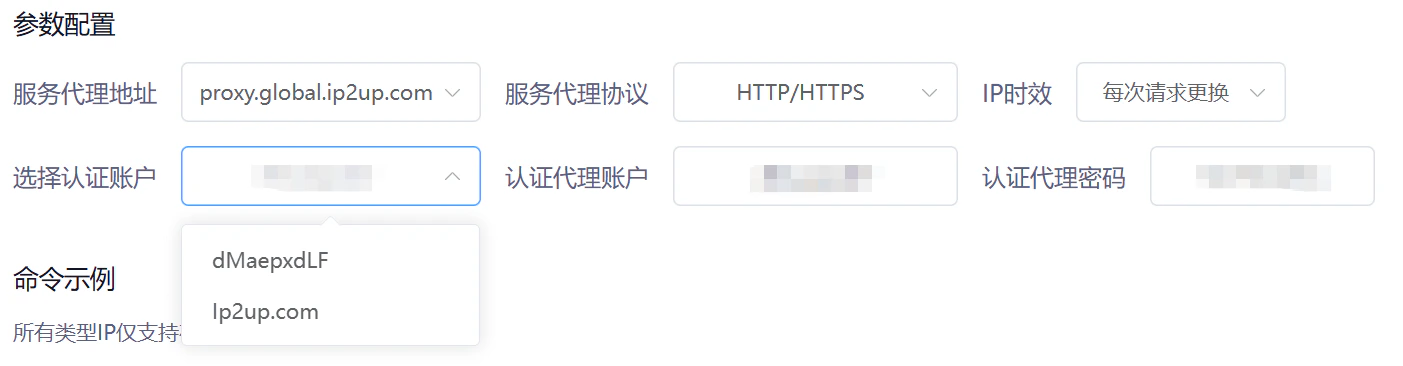
5. Sub-account Authentication: Dynamic Residential Proxy supports account password sub-account authentication for proxy connections. Sub-accounts are only used for proxy connection identity verification and cannot be used to log into the main platform.
3. Proxy Information Composition: Generated proxy information contains the following four parts:
* Proxy Account
* Password
* Server Address
* Port Number
4. Proxy Format Example
```
username:password@proxy.ip2up.com:port
```
5. Sub-account Authentication: Dynamic Residential Proxy supports account password sub-account authentication for proxy connections. Sub-accounts are only used for proxy connection identity verification and cannot be used to log into the main platform.
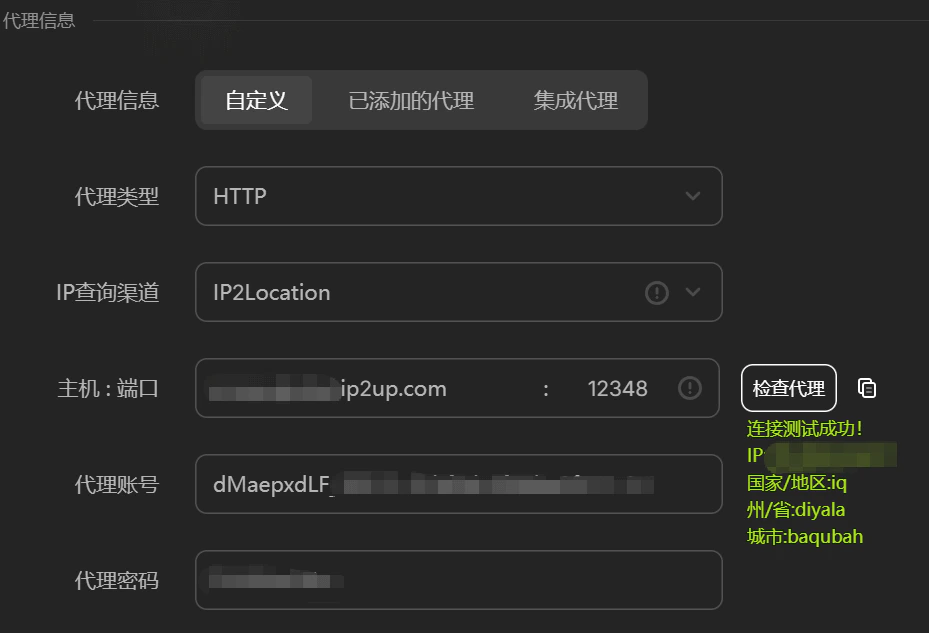
 6. Proxy Connectivity Test: You can verify whether the generated proxy information is normally available through tools. (Example testing tool: AdsPrower)
 > **Next Step Operation**: For how to use these proxy IPs in third-party tools (such as fingerprint browsers), please refer to: [Third-party Integration Tutorial](/zh-hans/help/fingerprint-integration).