> ## Documentation Index
> Fetch the complete documentation index at: https://help.ip2up.com/llms.txt
> Use this file to discover all available pages before exploring further.

# 流量统计

<Tip>平台的所有代理产品均需要在海外网络环境下使用，海外网络环境需要客户自行配置。</Tip>

本文将介绍如何在 **[Ip2up](https://www.Ip2up.com/zh-cn/)** 平台查看动态住宅代理流量使用情况。

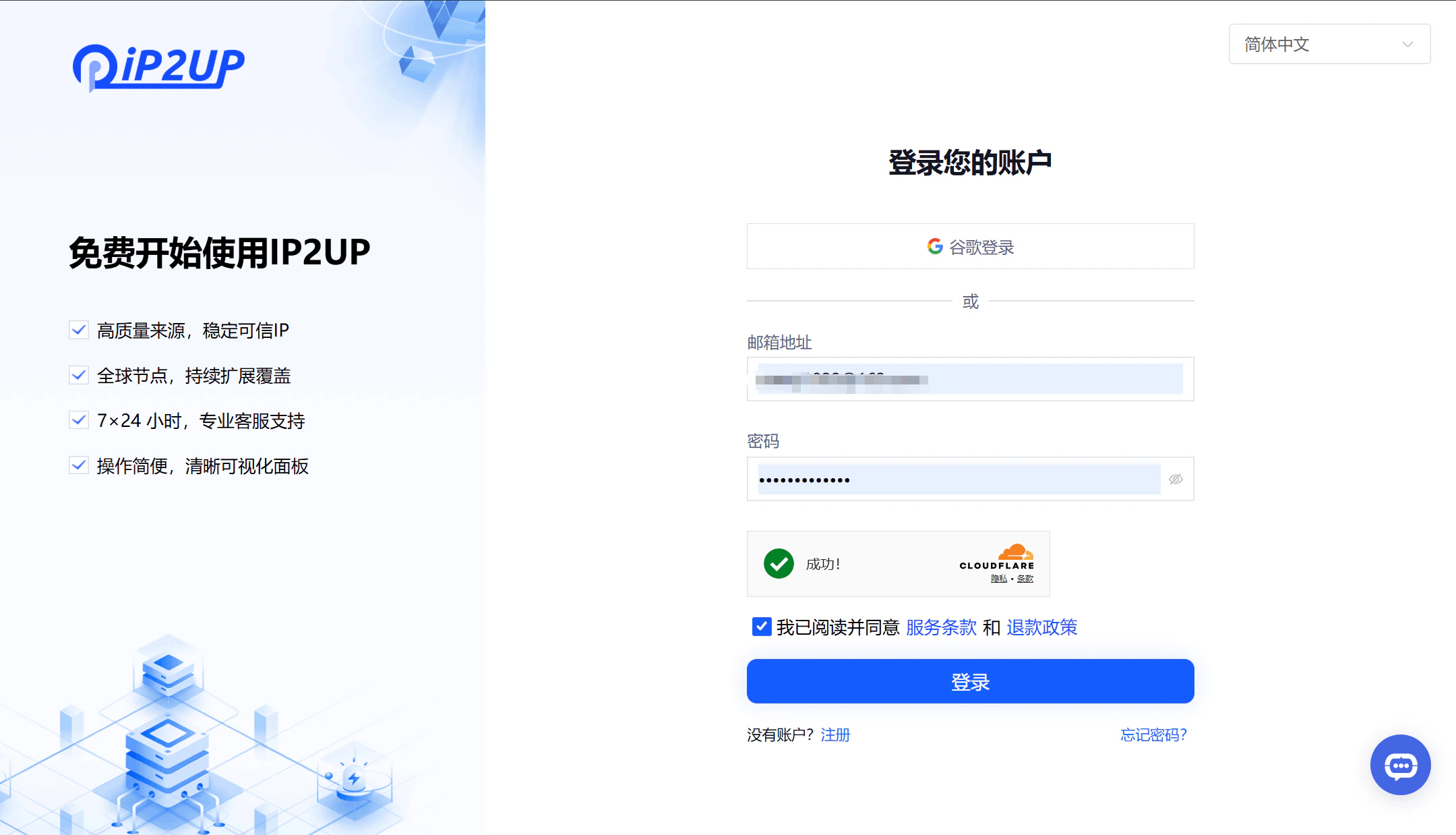
### 1. 登录Ip2up平台

打开浏览器并访问 [Ip2up官网](https://www.ip2up.com)，输入账号密码登录系统。

<img src="https://mintcdn.com/acme-2c62d9fa/-I0epiSaeyhL94EG/res/images/LL1.png?fit=max&auto=format&n=-I0epiSaeyhL94EG&q=85&s=2a7dfe9f420152be83bc52048a684e4c" alt="Ip2up登录页面" width="2160" height="1238" data-path="res/images/LL1.png" />

### 2. 查看流量使用情况

登录后系统自动跳转至用户中心仪表盘：

1. 点击左侧菜单栏中的 **“动态住宅代理”**
2. 页面显示已购买的套餐信息
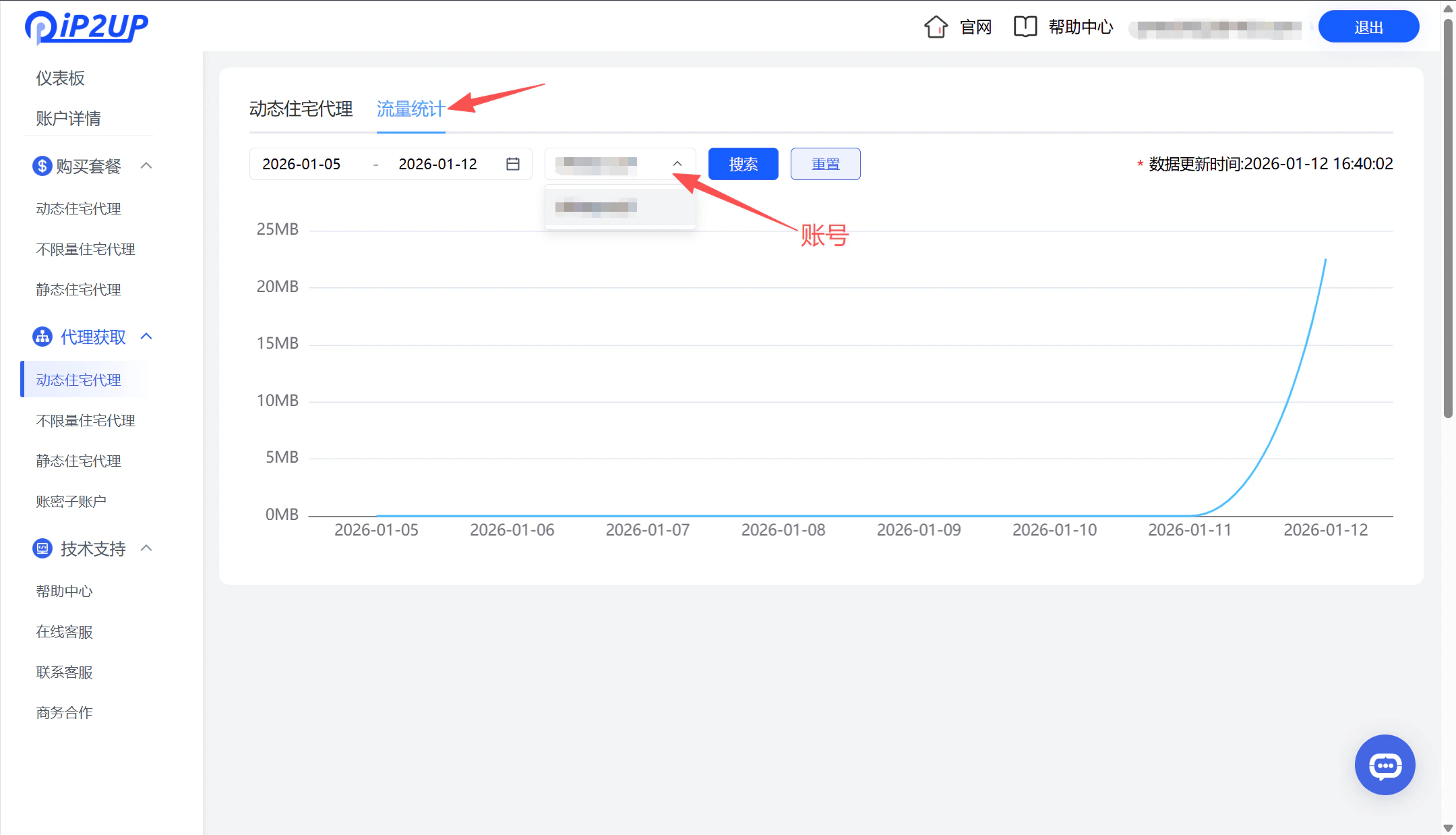
3. 点击 **“流量统计”**
4. 选择对应账号即可查看具体的流量使用详情
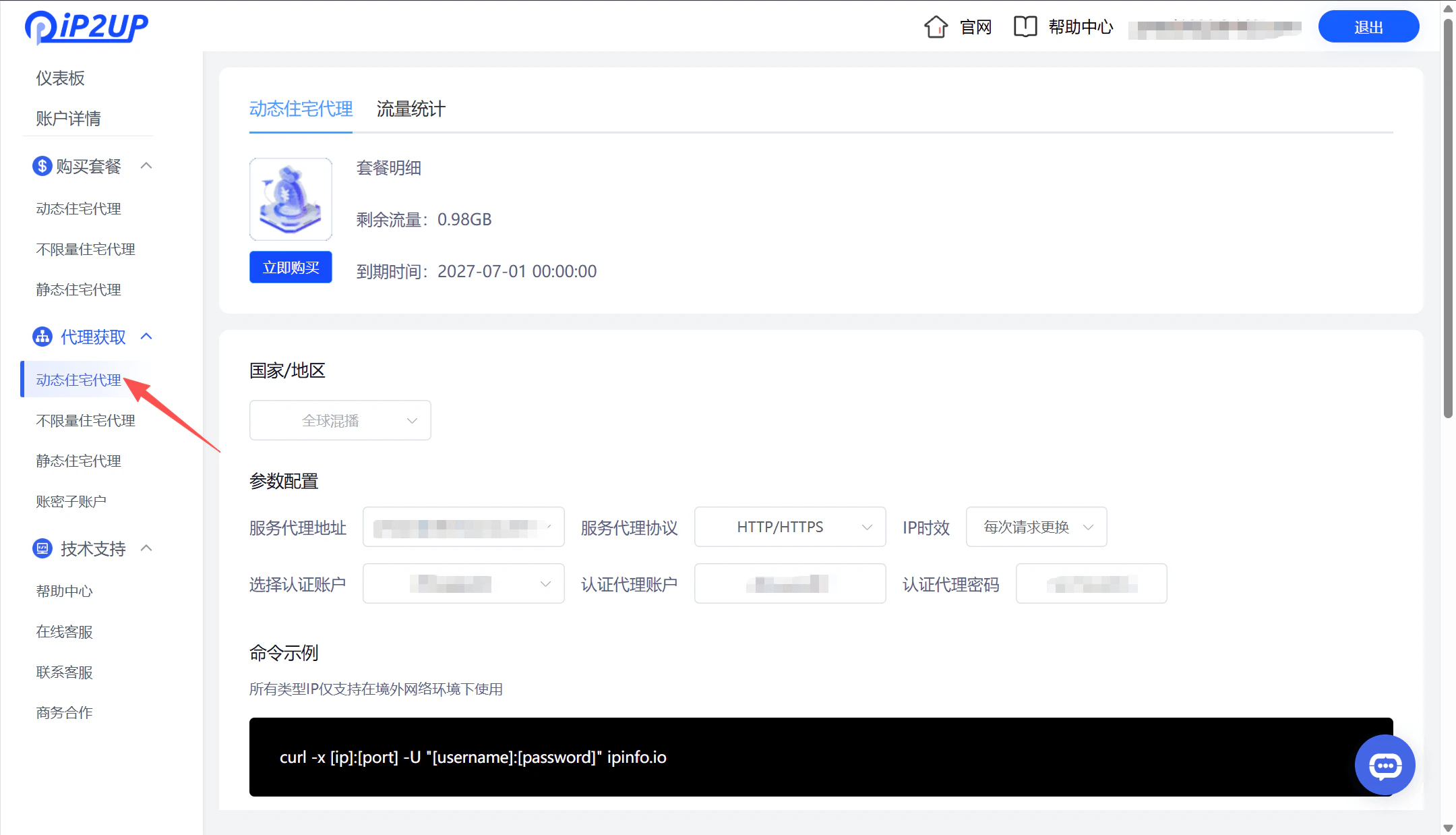
<img src="https://mintcdn.com/acme-2c62d9fa/-I0epiSaeyhL94EG/res/images/LL2.png?fit=max&auto=format&n=-I0epiSaeyhL94EG&q=85&s=1b94b69c68d0f3caadeecfafe3072a64" alt="Ip2up动态住宅代理页面" width="2160" height="1238" data-path="res/images/LL2.png" />

<img src="https://mintcdn.com/acme-2c62d9fa/-I0epiSaeyhL94EG/res/images/LL3.png?fit=max&auto=format&n=-I0epiSaeyhL94EG&q=85&s=d8bc73a04fd476191b58da4c1dca687c" alt="Ip2up流量统计详情页面" width="2160" height="1238" data-path="res/images/LL3.png" />