> ## Documentation Index
> Fetch the complete documentation index at: https://help.ip2up.com/llms.txt
> Use this file to discover all available pages before exploring further.
# Iphone
平台的所有代理产品均需要在海外网络环境下使用,海外网络环境需要客户自行配置。
在将代理集成到 iPhone 设备前,请确保您已获取有效的代理服务信息,并已确认代理服务正常运行。
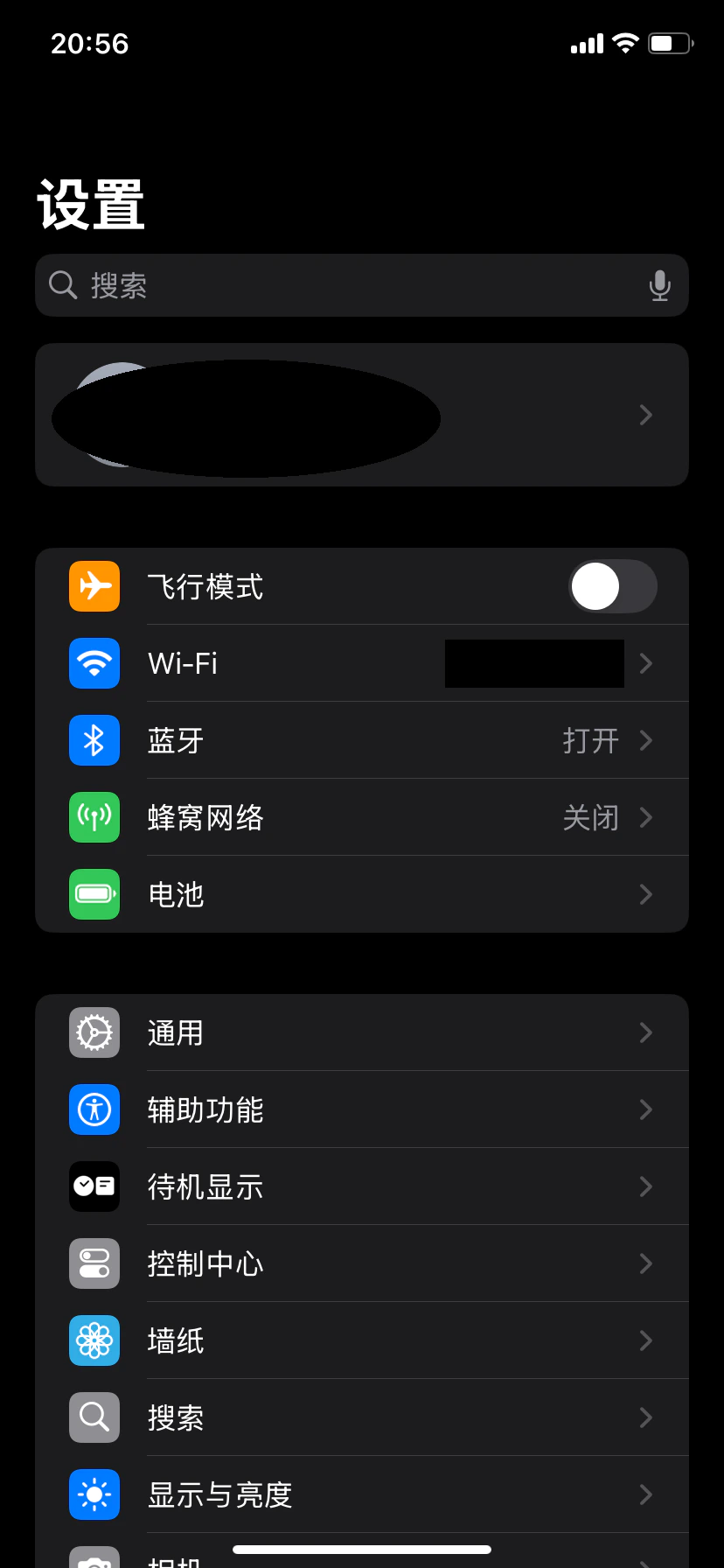
### 1. 进入 Wi-Fi 设置
打开 iPhone 的 **「设置」** → 点击 **「无线局域网」**(Wi-Fi)。
 ### 2. 进入已连接网络配置
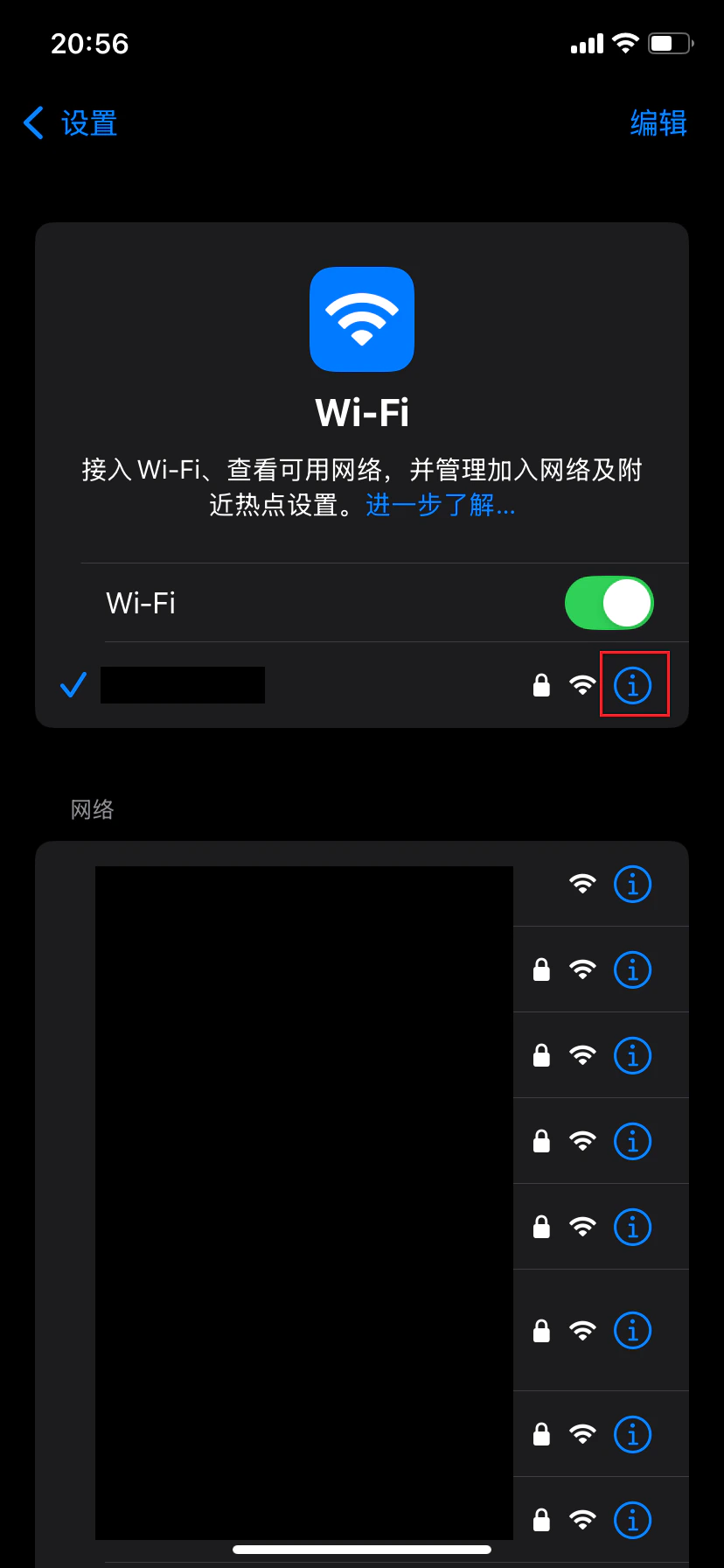
在 Wi-Fi 列表中找到当前已连接的网络,点击右侧的 **「信息」图标(i)**,进入网络详情页面。
### 2. 进入已连接网络配置
在 Wi-Fi 列表中找到当前已连接的网络,点击右侧的 **「信息」图标(i)**,进入网络详情页面。
 ### 3. 进入代理配置
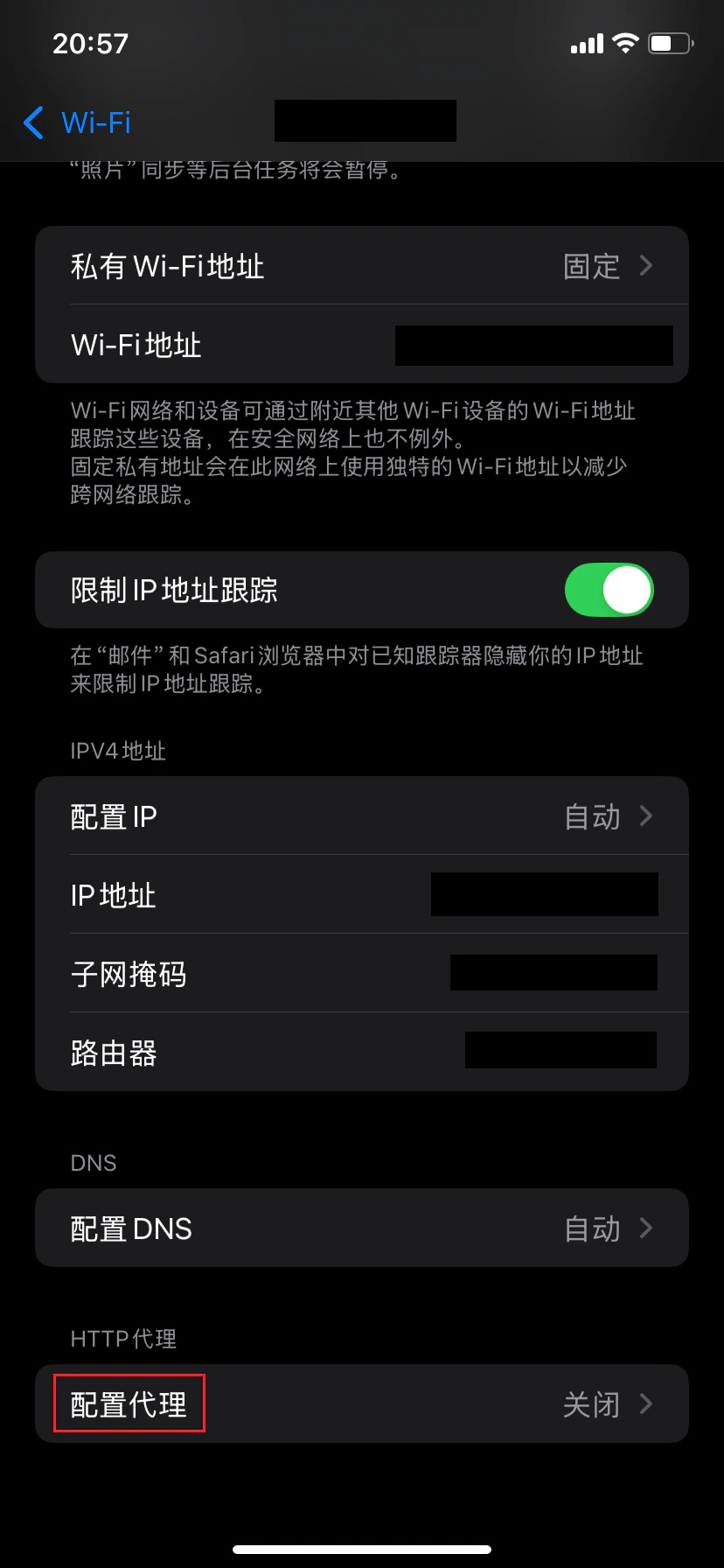
在网络详情页面中,向下滑动找到并点击 **「配置代理」**。
### 3. 进入代理配置
在网络详情页面中,向下滑动找到并点击 **「配置代理」**。
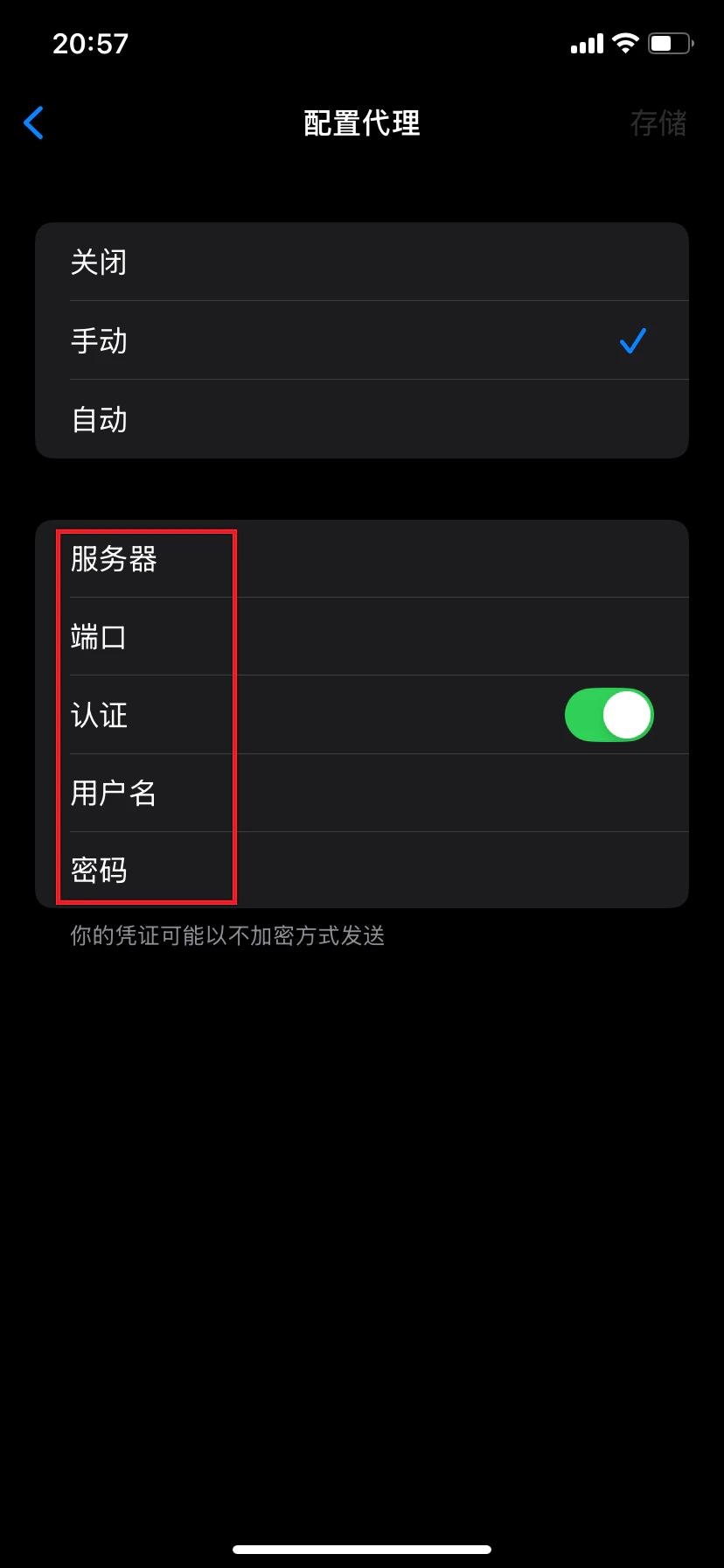
 ### 4. 选择手动代理模式
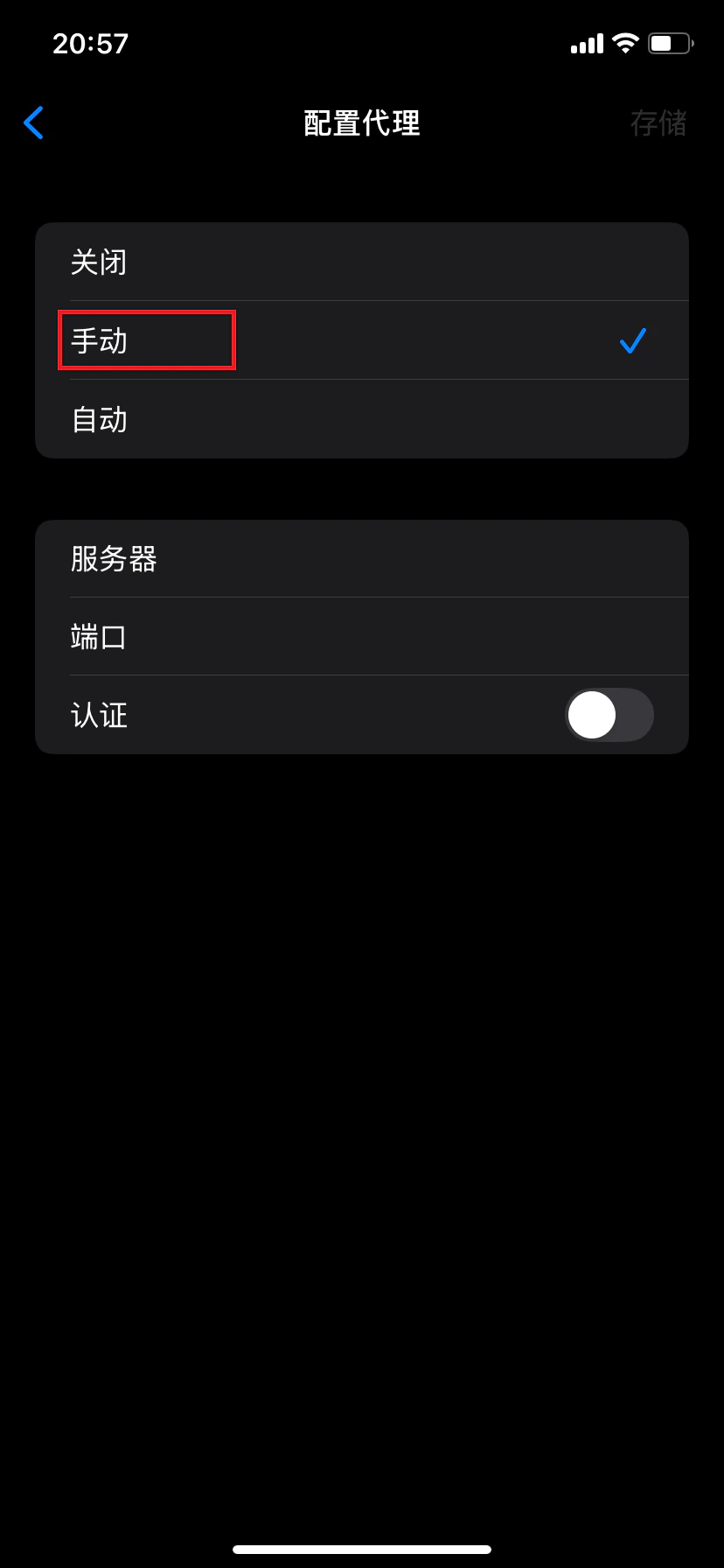
在代理配置页面中,选择 **「手动」** 模式。
### 4. 选择手动代理模式
在代理配置页面中,选择 **「手动」** 模式。
 ### 5. 填写代理信息并保存
1. 开启 **「认证」** 开关
2. 填写以下信息:
* **服务器**:代理服务器地址
* **端口**:代理服务端口号
* **用户名**:代理账号
* **密码**:代理密码
3. 点击右上角 **「存储」** 保存设置
### 5. 填写代理信息并保存
1. 开启 **「认证」** 开关
2. 填写以下信息:
* **服务器**:代理服务器地址
* **端口**:代理服务端口号
* **用户名**:代理账号
* **密码**:代理密码
3. 点击右上角 **「存储」** 保存设置
 ### 6. 验证代理连接
打开浏览器,访问 IP 检测网站,确认显示的 IP 地址与您配置的代理 IP 一致。若一致,则表示代理设置成功。
### 注意事项
* 此设置为 Wi-Fi 级别代理,仅对当前 Wi-Fi 网络生效
* 切换 Wi-Fi 网络后需重新配置代理
* 请确保代理信息填写正确,且代理服务支持您的使用场景
✅ **至此,已成功在 iPhone 设备中完成 Wi-Fi 代理配置,可通过代理服务器访问网络。**
### 6. 验证代理连接
打开浏览器,访问 IP 检测网站,确认显示的 IP 地址与您配置的代理 IP 一致。若一致,则表示代理设置成功。
### 注意事项
* 此设置为 Wi-Fi 级别代理,仅对当前 Wi-Fi 网络生效
* 切换 Wi-Fi 网络后需重新配置代理
* 请确保代理信息填写正确,且代理服务支持您的使用场景
✅ **至此,已成功在 iPhone 设备中完成 Wi-Fi 代理配置,可通过代理服务器访问网络。**