> ## Documentation Index
> Fetch the complete documentation index at: https://help.ip2up.com/llms.txt
> Use this file to discover all available pages before exploring further.
# 代理使用
平台的所有代理产品均需要在海外网络环境下使用,海外网络环境需要客户自行配置。
本文将介绍如何在 **Ip2up平台** 购买静态住宅代理IP,并获取使用信息。
### 登录并查看账户状态
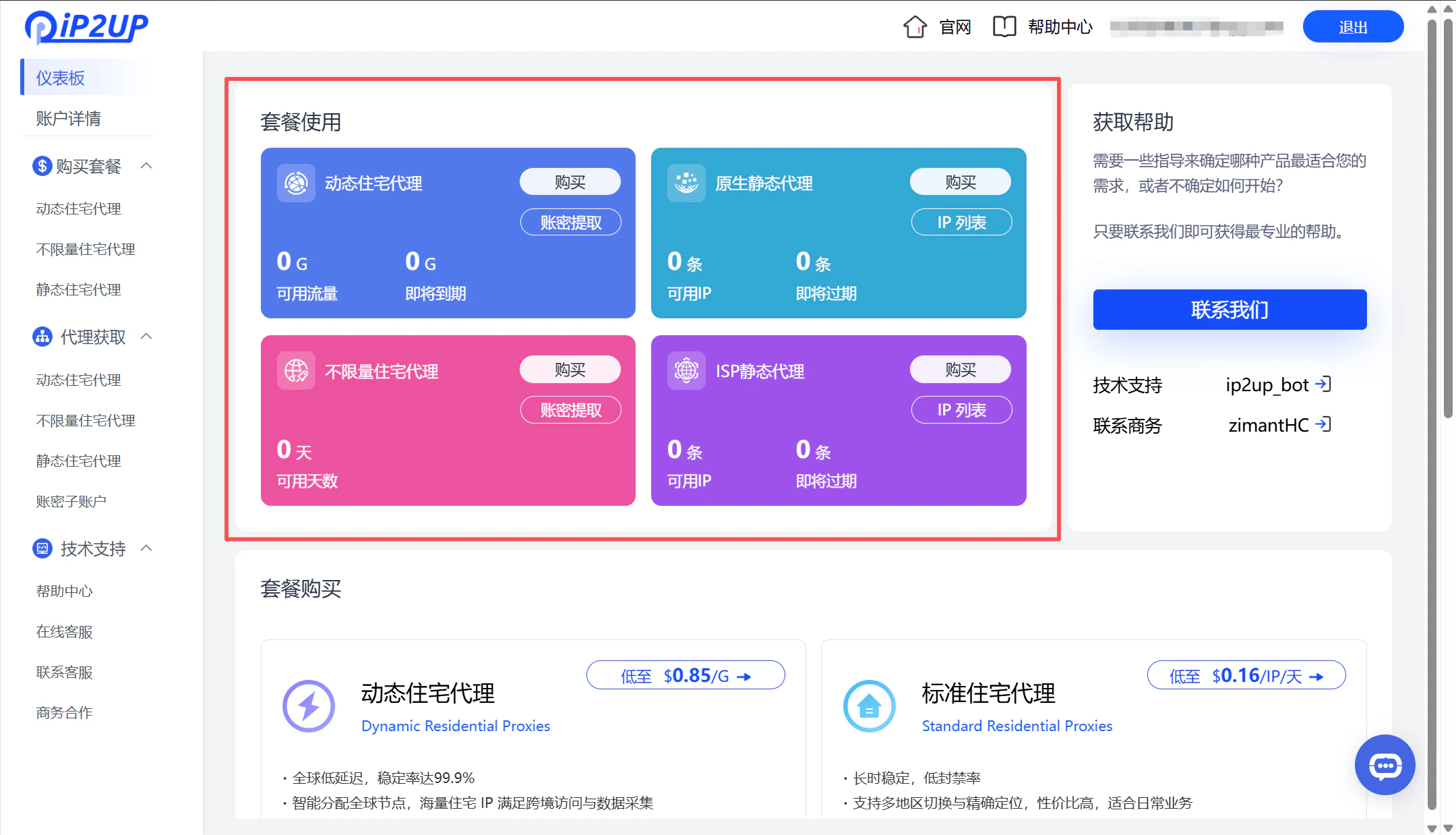
访问 **[Ip2up官网](https://www.Ip2up.com/zh-cn/)** 登录账号,系统将自动进入仪表盘界面。您可以在此页面查看已有的代理套餐购买情况和账户整体状态。
 ### 选择并购买代理套餐
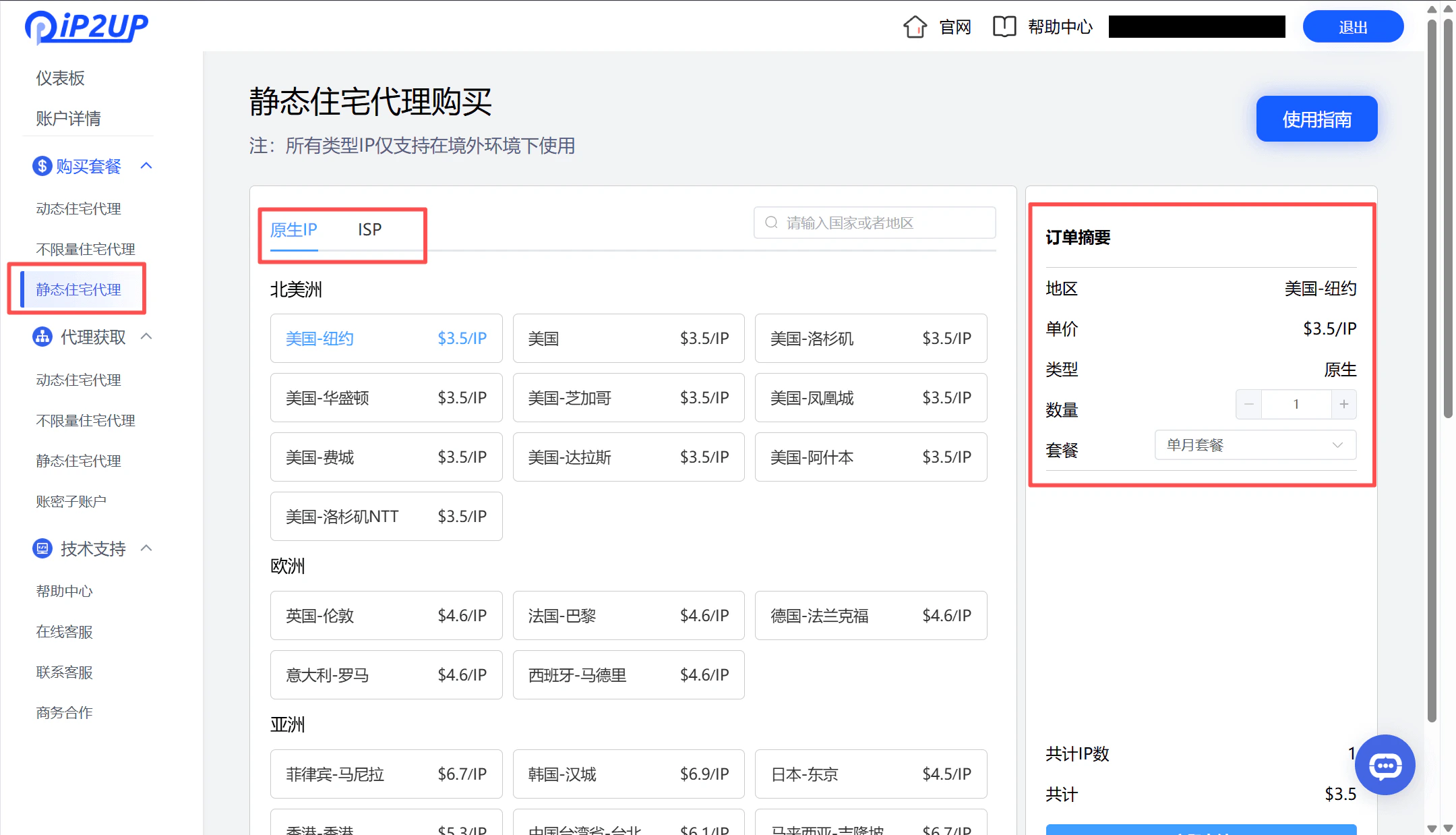
1. 点击左侧菜单栏的 **购买套餐** → **静态住宅代理**。
2. 根据您的需求配置以下选项:
* **国家/地区**:选择目标国家
* **IP类型**:选择原生或ISP
* **数量**:选择所需IP数量
3. 点击 **支付** 完成购买。
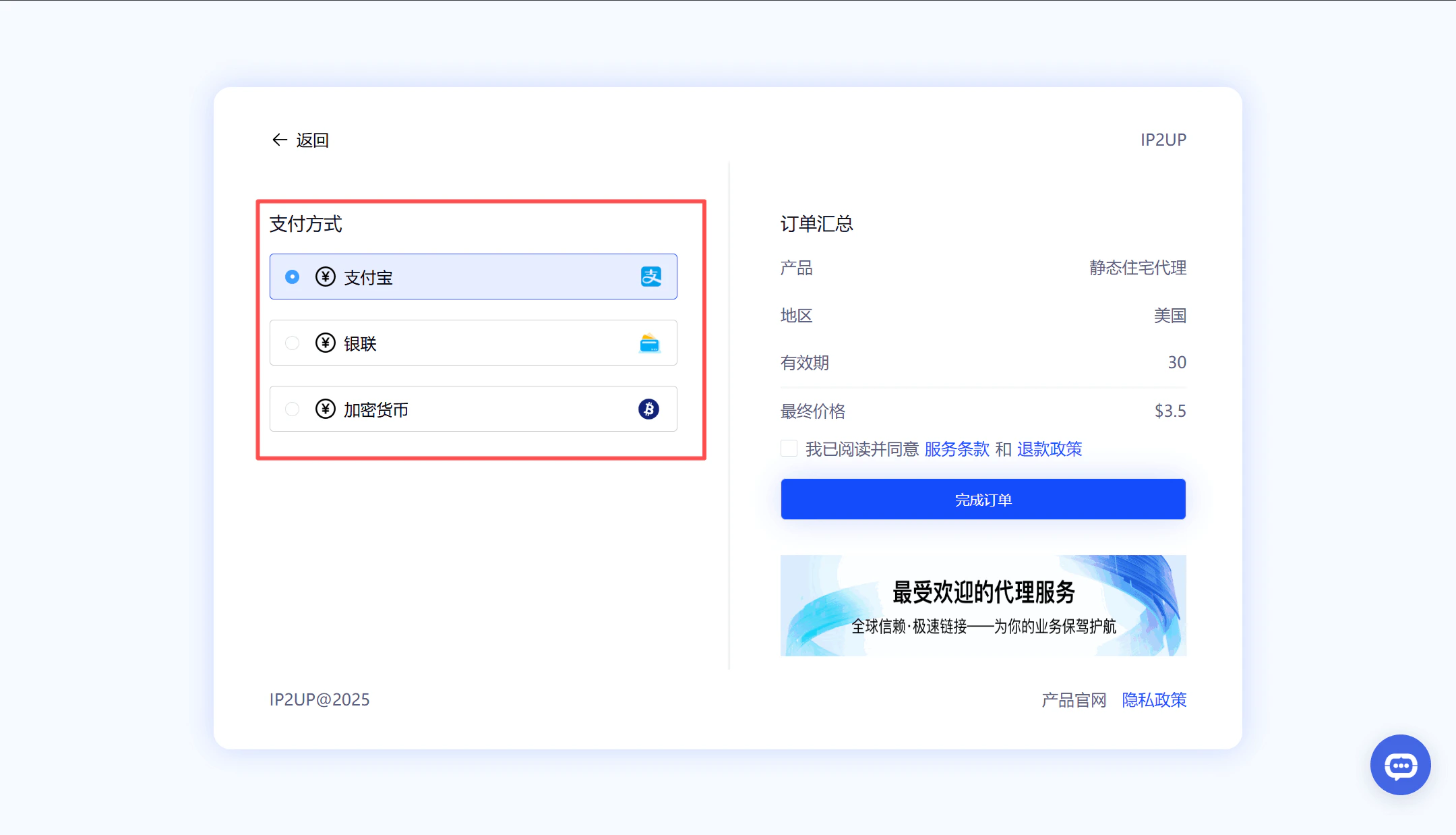
4. 支持的支付方式:
* 支付宝
* 加密货币支付
* 银联支付
* 如需其他支付方式,请联系客服人员
### 选择并购买代理套餐
1. 点击左侧菜单栏的 **购买套餐** → **静态住宅代理**。
2. 根据您的需求配置以下选项:
* **国家/地区**:选择目标国家
* **IP类型**:选择原生或ISP
* **数量**:选择所需IP数量
3. 点击 **支付** 完成购买。
4. 支持的支付方式:
* 支付宝
* 加密货币支付
* 银联支付
* 如需其他支付方式,请联系客服人员
 ### 查看购买结果
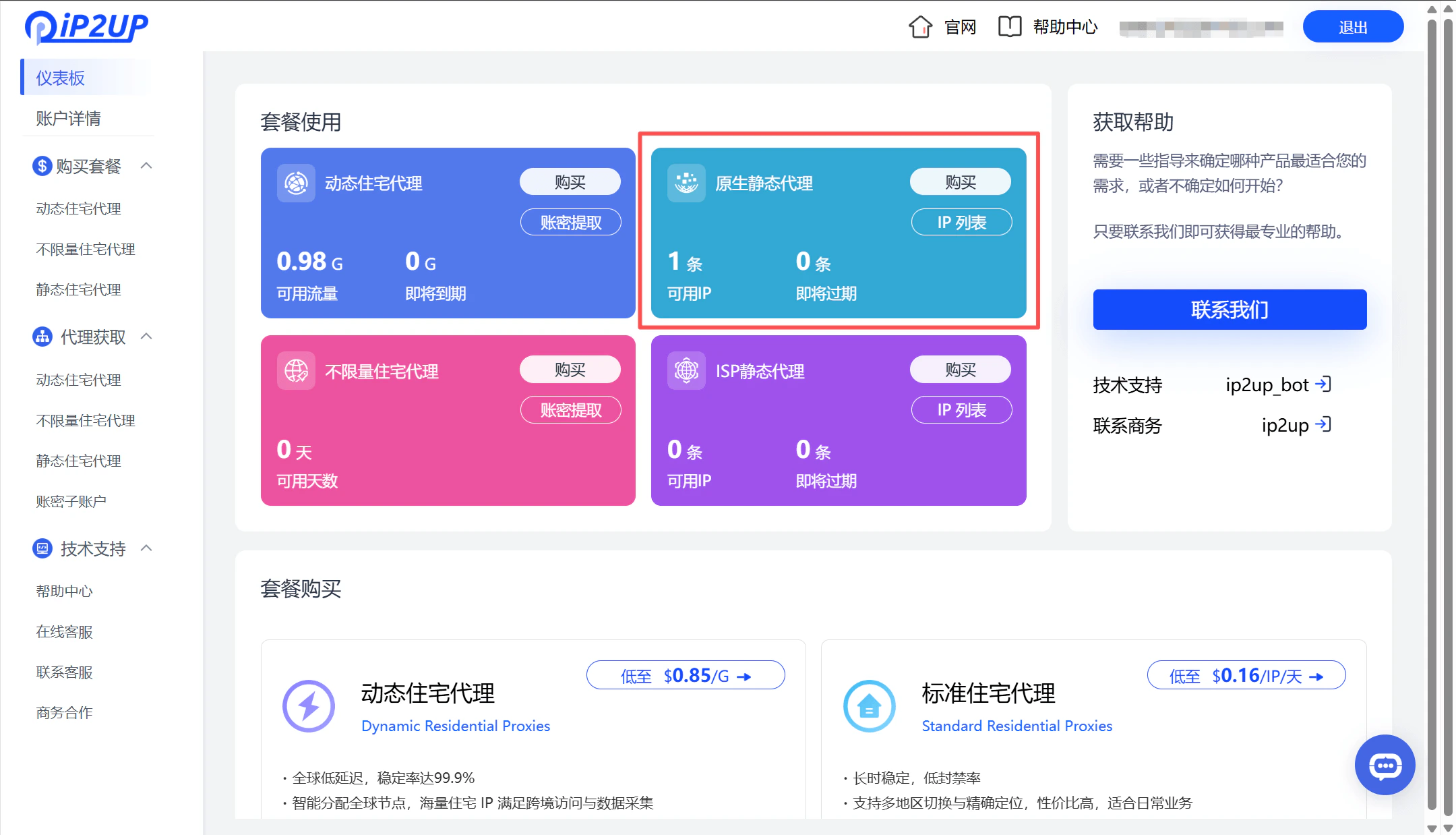
支付完成后,返回仪表盘页面,即可查看当前的购买信息和可用资源状态。
### 查看购买结果
支付完成后,返回仪表盘页面,即可查看当前的购买信息和可用资源状态。
 ### 获取代理信息
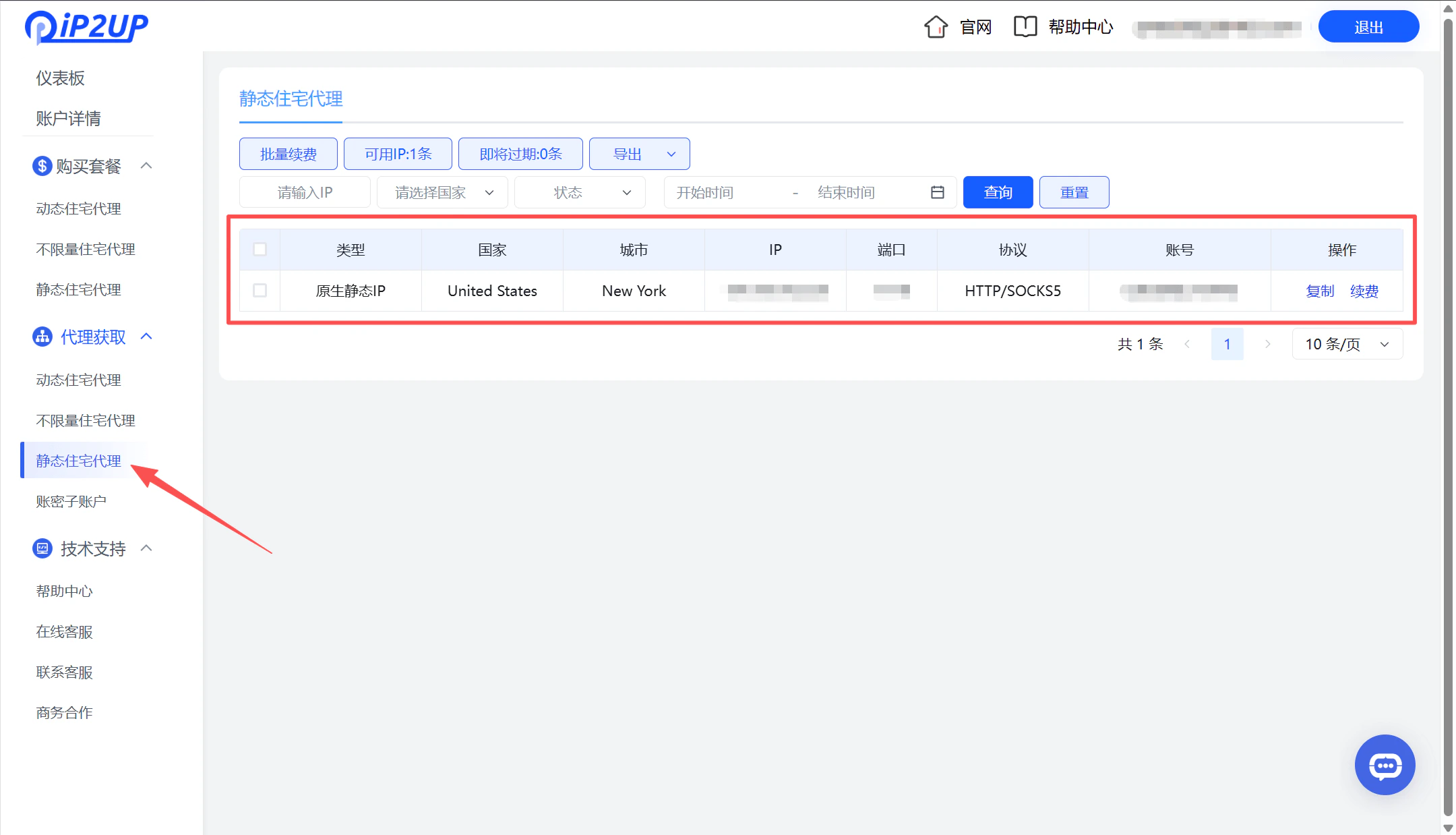
1. 点击左侧菜单栏的 **代理获取** → **静态住宅代理** 。
2. 在此页面可查看并获取已购买的静态IP详细信息,包括IP地址、端口、用户名和密码。
### 获取代理信息
1. 点击左侧菜单栏的 **代理获取** → **静态住宅代理** 。
2. 在此页面可查看并获取已购买的静态IP详细信息,包括IP地址、端口、用户名和密码。
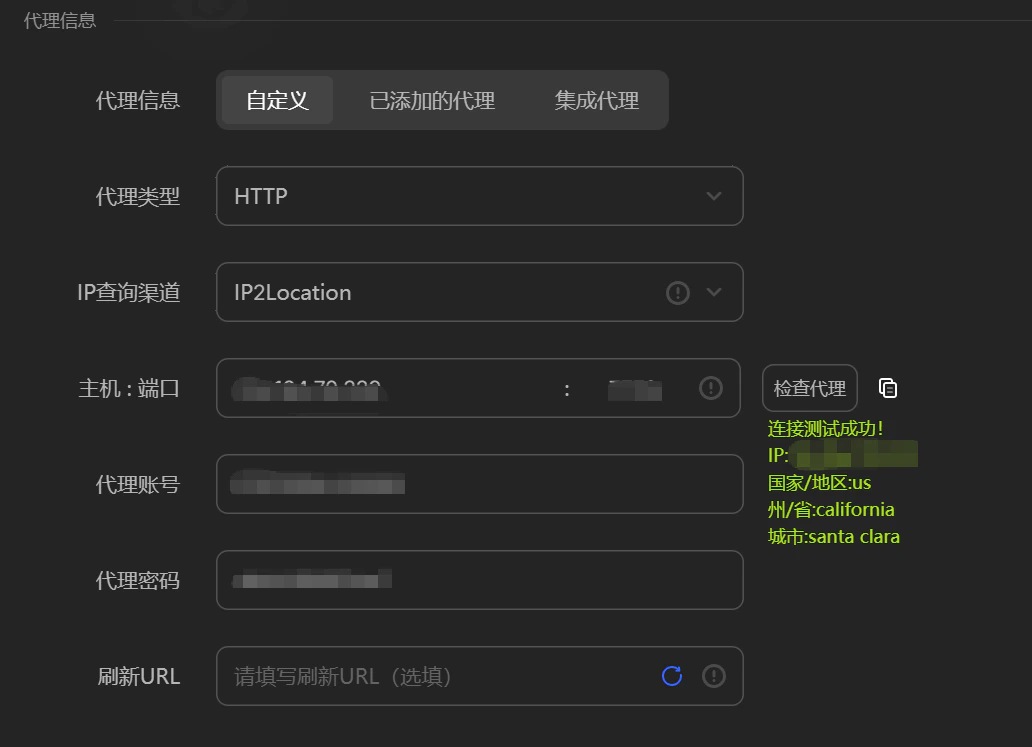
 3. 代理连通性测试 可以通过工具验证生成的代理信息是否正常可用。(示例测试工具为AdsPrower)
 > **下一步操作**:关于如何在第三方工具(如指纹浏览器)中使用这些代理IP,请参阅:[第三方集成教程](/zh-hans/help/fingerprint-integration)。