> ## Documentation Index
> Fetch the complete documentation index at: https://help.ip2up.com/llms.txt
> Use this file to discover all available pages before exploring further.
# 代理使用
平台的所有代理產品均需要在海外網路環境下使用,海外網路環境需要客戶自行配置。
本文將介紹如何在 **Ip2up平台** 購買動態住宅代理IP,並取得和使用代理資訊。
### 登入並查看帳戶狀態
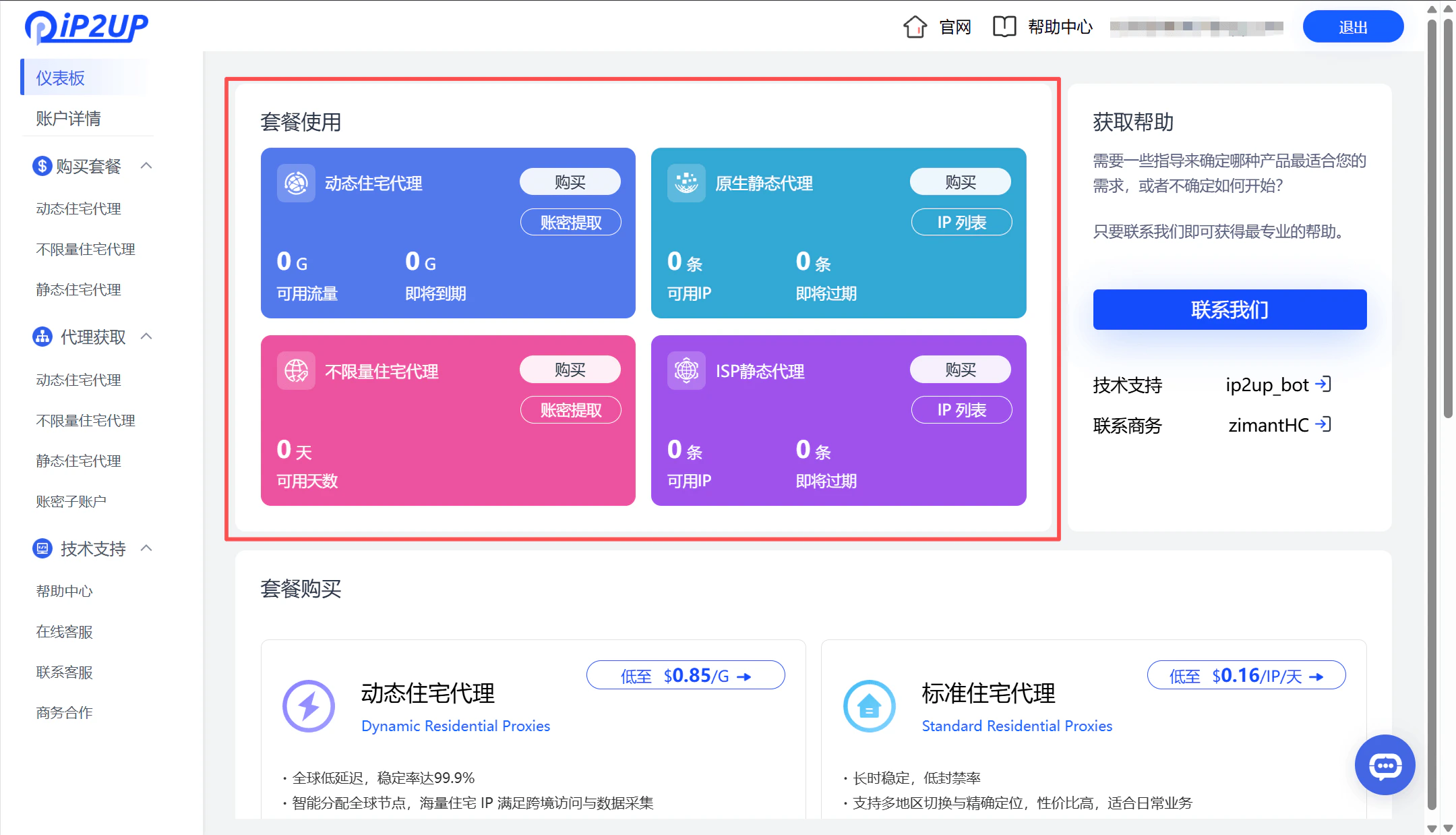
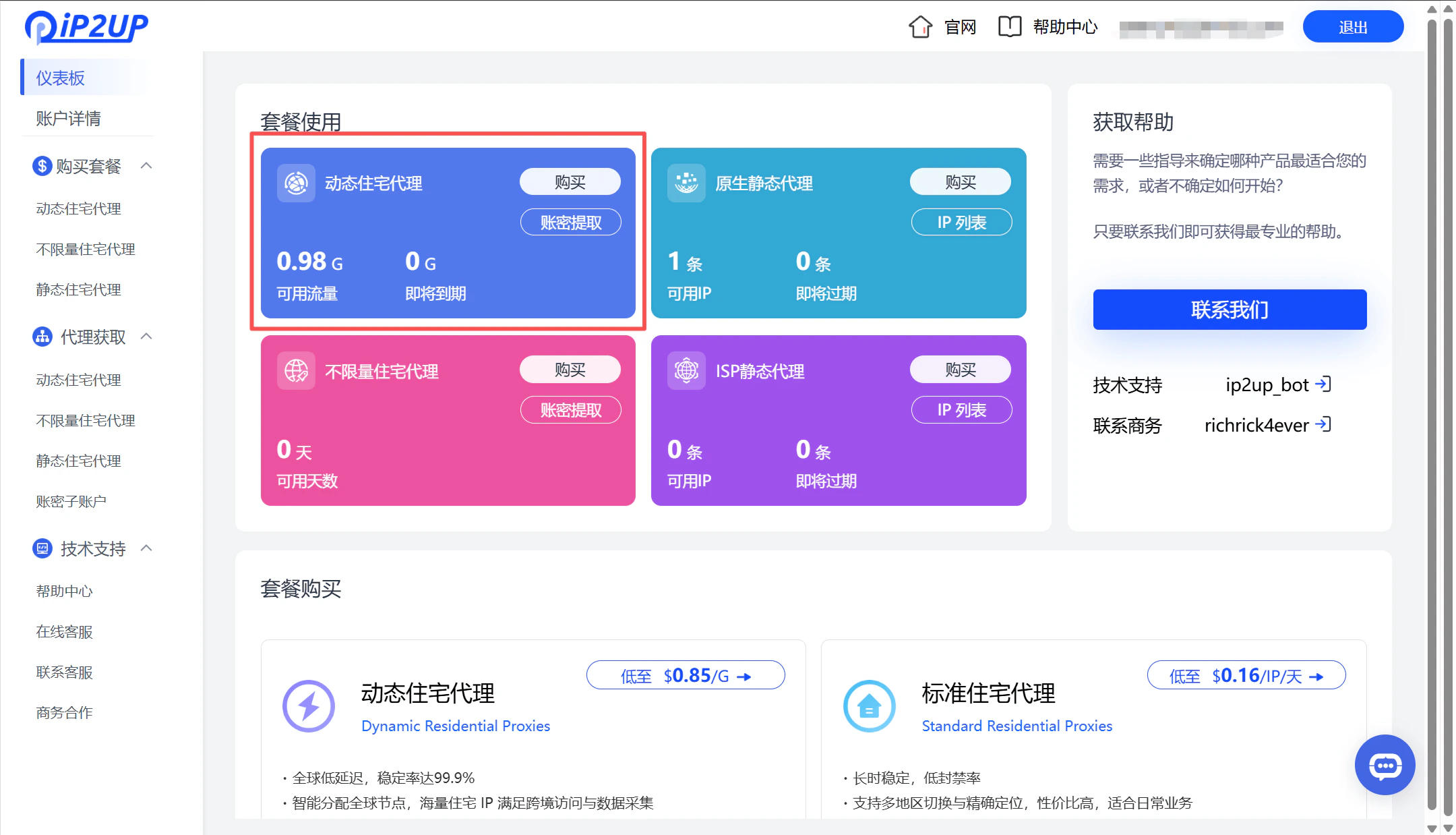
訪問 **[Ip2up官網](https://www.Ip2up.com/zh-cn/)** 登入帳號,系統將自動進入儀表板介面。您可以在此頁面查看已有的代理套餐購買情況和帳戶整體狀態。
 ### 選擇並購買代理套餐
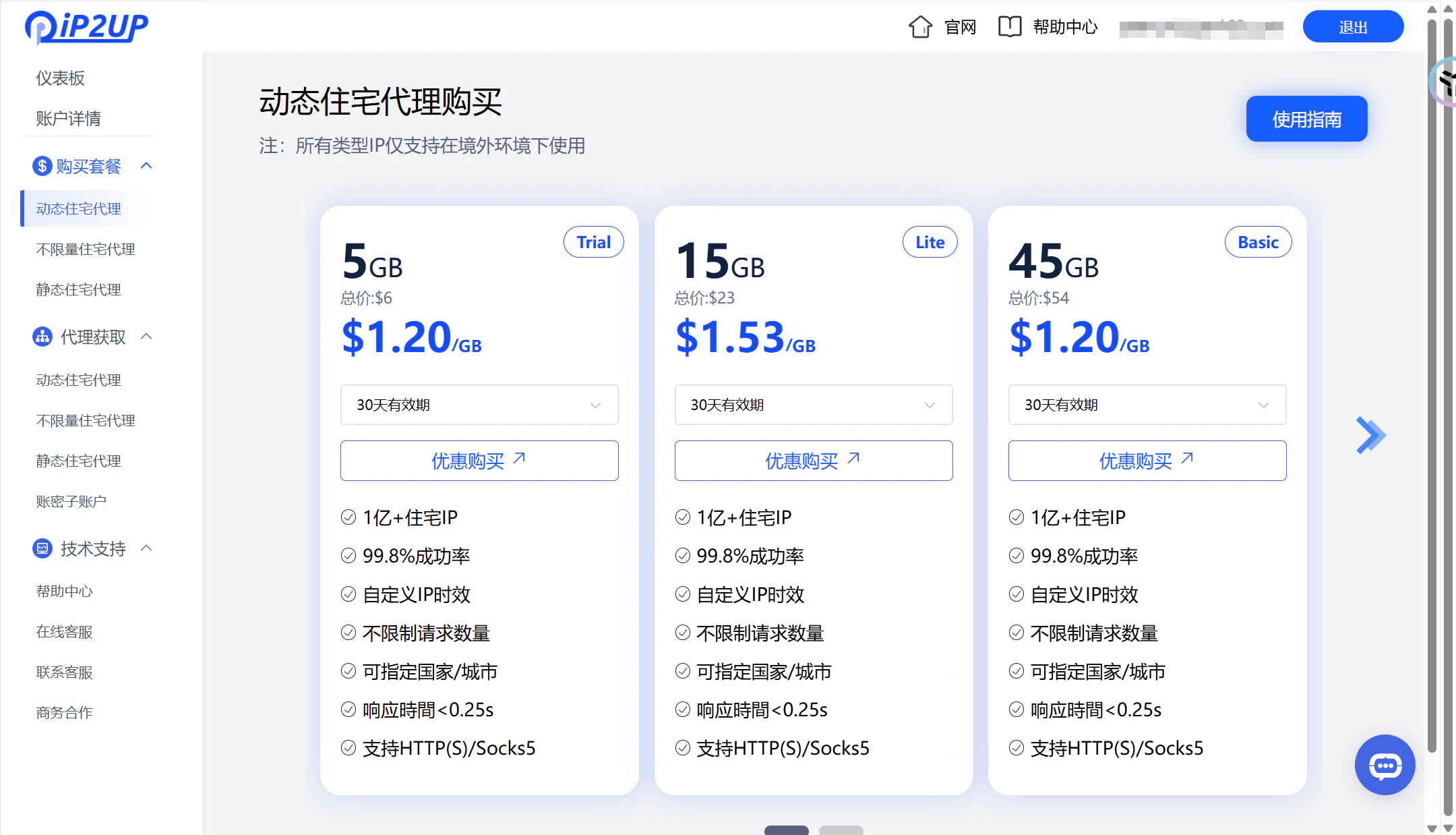
1. 點擊左側選單欄的 **購買套餐** → **動態住宅代理**
2. 根據您的需求配置選擇相應套餐
### 選擇並購買代理套餐
1. 點擊左側選單欄的 **購買套餐** → **動態住宅代理**
2. 根據您的需求配置選擇相應套餐
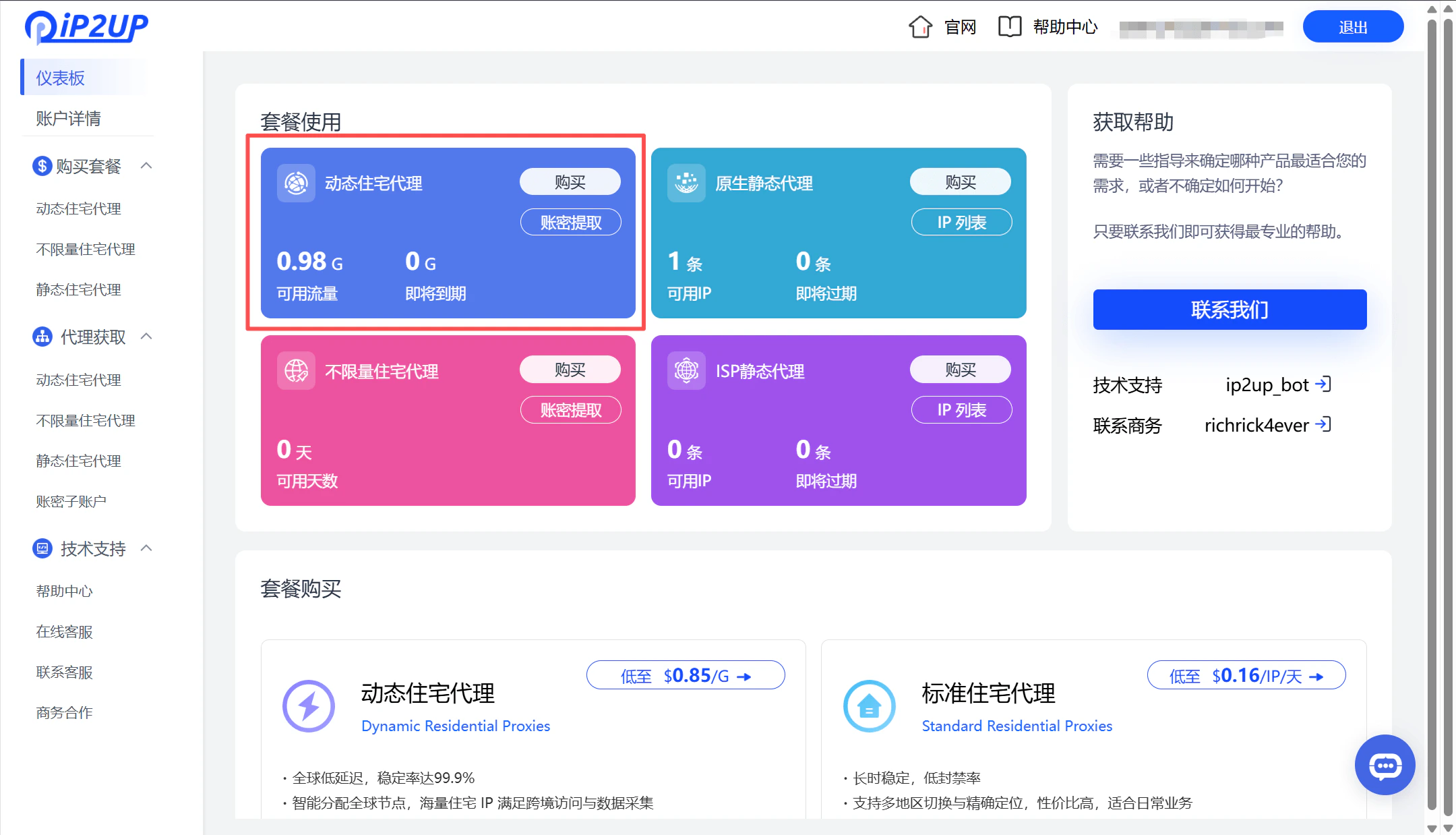
 3. 選擇套餐,點擊 **支付** 完成購買
4. 支援的支付方式:
* 支付寶
* 加密貨幣支付
* 銀聯支付
* 如需其他支付方式,請聯繫客服人員
3. 選擇套餐,點擊 **支付** 完成購買
4. 支援的支付方式:
* 支付寶
* 加密貨幣支付
* 銀聯支付
* 如需其他支付方式,請聯繫客服人員
 ### 查看購買結果
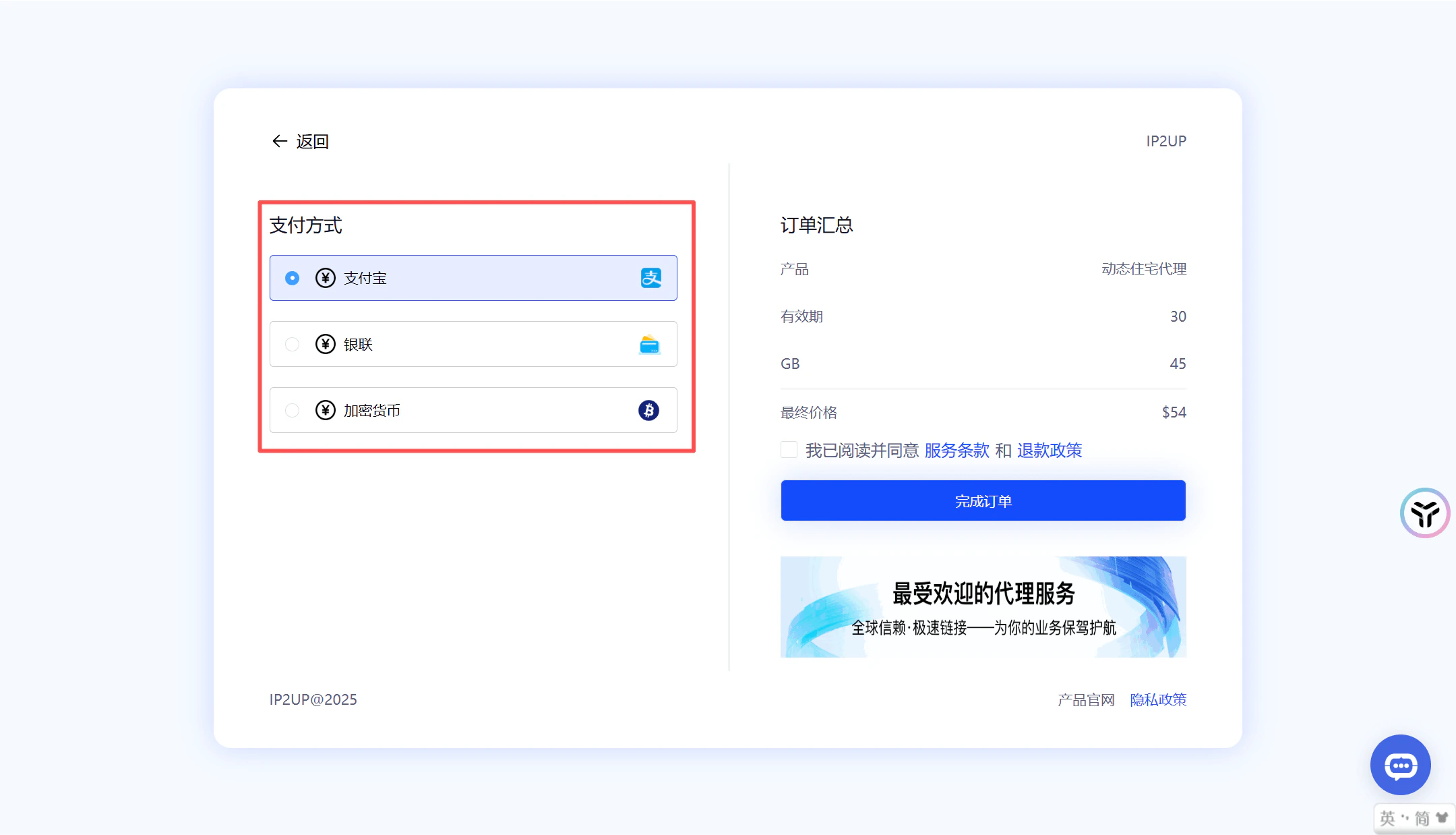
支付完成後,返回儀表板頁面,即可查看當前的購買資訊和可用資源狀態。
### 查看購買結果
支付完成後,返回儀表板頁面,即可查看當前的購買資訊和可用資源狀態。
 ### 取得並配置代理資訊
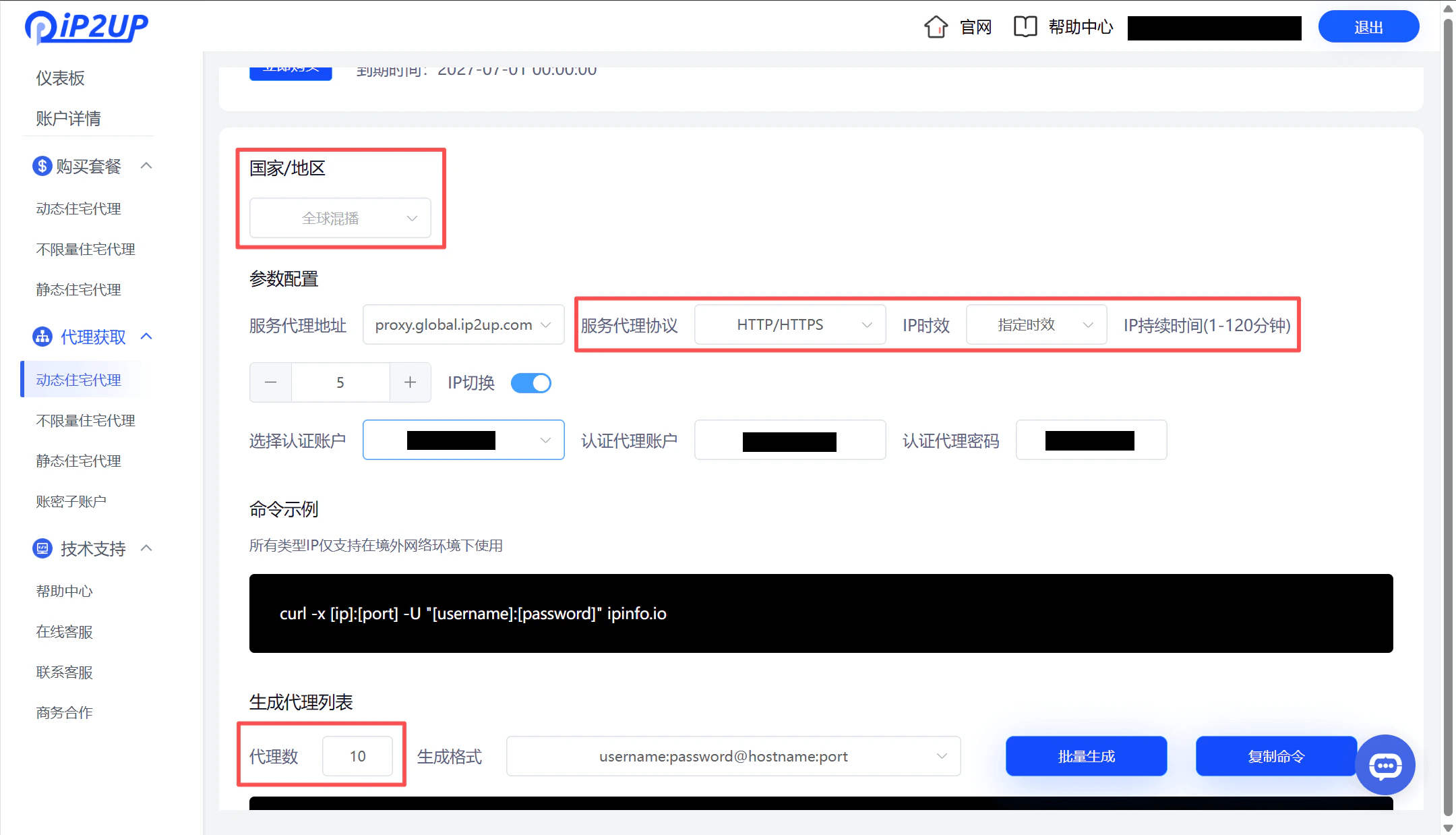
1. 點擊左側選單欄的 **代理取得** → **動態住宅代理** 。
2. 產生代理資訊時,根據代理軟體需求自行選擇進行使用:
* 國家/地區
* 代理協議(HTTP/HTTPS/SOCKS5)
* IP時效
* 數量
### 取得並配置代理資訊
1. 點擊左側選單欄的 **代理取得** → **動態住宅代理** 。
2. 產生代理資訊時,根據代理軟體需求自行選擇進行使用:
* 國家/地區
* 代理協議(HTTP/HTTPS/SOCKS5)
* IP時效
* 數量
 3. 代理資訊組成:產生的代理資訊包含以下四個部分:
* 代理帳號
* 密碼
* 伺服器地址
* 端口號
4. 代理格式範例
```
username:password@proxy.ip2up.com:port
```
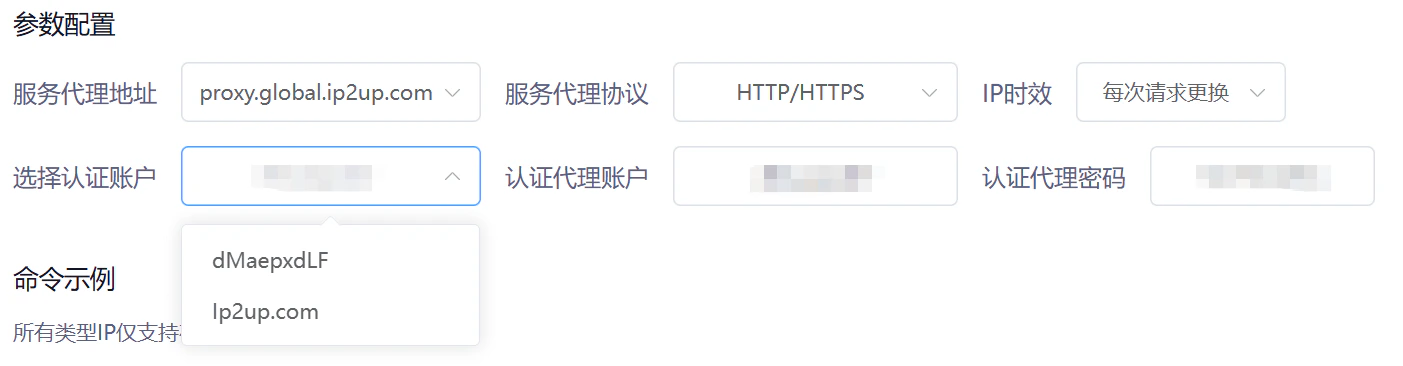
5. 子帳號認證 動態住宅代理支援帳號密碼子帳號認證用於代理連線。子帳號僅用於代理連線身份驗證,不可用於登入主平台。
3. 代理資訊組成:產生的代理資訊包含以下四個部分:
* 代理帳號
* 密碼
* 伺服器地址
* 端口號
4. 代理格式範例
```
username:password@proxy.ip2up.com:port
```
5. 子帳號認證 動態住宅代理支援帳號密碼子帳號認證用於代理連線。子帳號僅用於代理連線身份驗證,不可用於登入主平台。
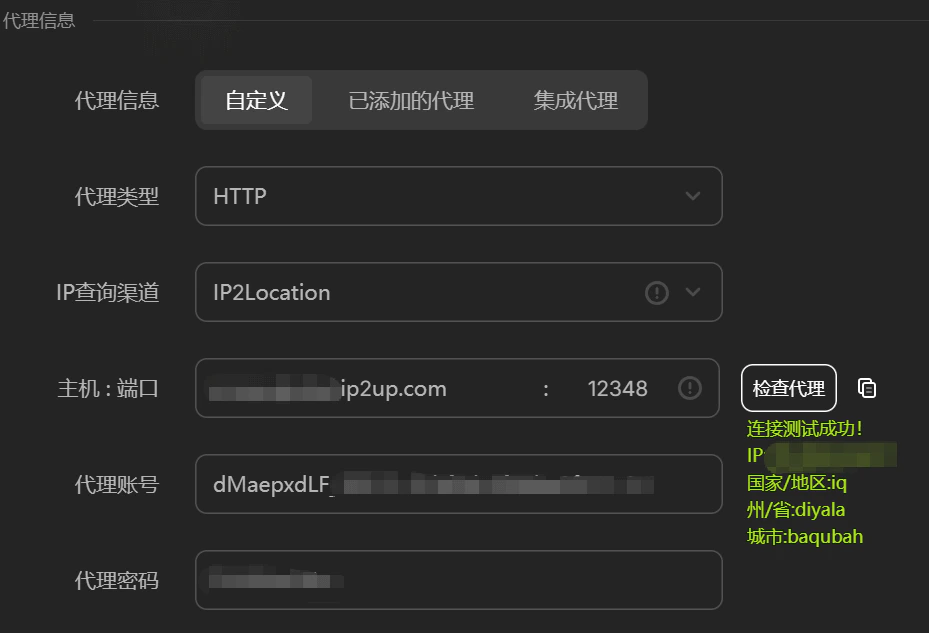
 6. 代理連通性測試 可以透過工具驗證產生的代理資訊是否正常可用。(範例測試工具為AdsPrower)
 > **下一步操作**:關於如何在第三方工具(如指紋瀏覽器)中使用這些代理IP,請參閱:[第三方整合教學](/zh-hans/help/fingerprint-integration)。