> ## Documentation Index
> Fetch the complete documentation index at: https://help.ip2up.com/llms.txt
> Use this file to discover all available pages before exploring further.

# 流量統計

<Tip>平台的所有代理產品均需要在海外網路環境下使用，海外網路環境需要客戶自行配置。</Tip>

本文將介紹如何在 **[Ip2up](https://www.Ip2up.com/zh-cn/)** 平台查看動態住宅代理流量使用情況。

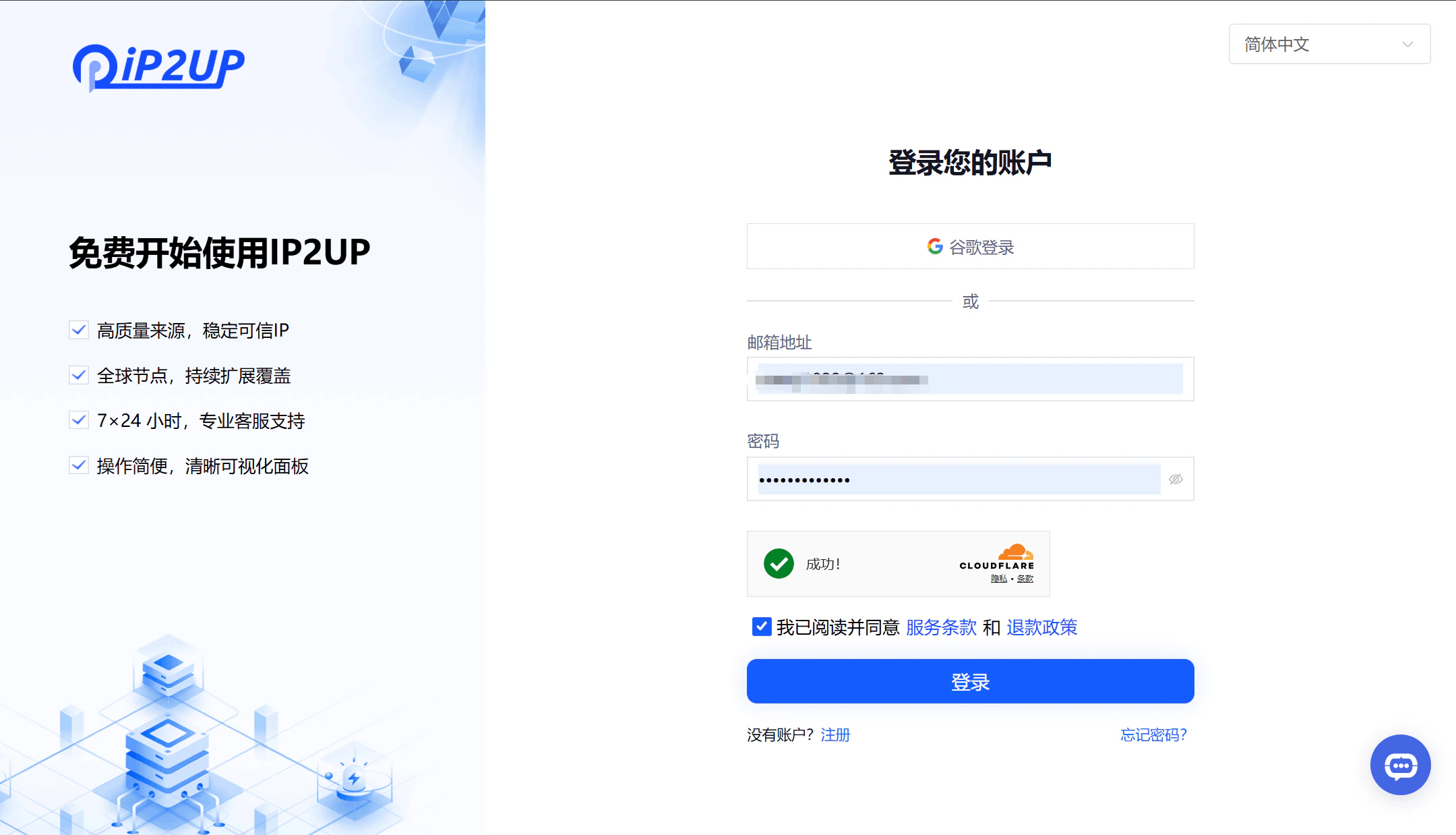
### 1. 登入Ip2up平台

打開瀏覽器並訪問 [Ip2up官網](https://www.ip2up.com)，輸入帳號密碼登入系統。

<img src="https://mintcdn.com/acme-2c62d9fa/-I0epiSaeyhL94EG/res/images/LL1.png?fit=max&auto=format&n=-I0epiSaeyhL94EG&q=85&s=2a7dfe9f420152be83bc52048a684e4c" alt="Ip2up登入頁面" width="2160" height="1238" data-path="res/images/LL1.png" />

### 2. 查看流量使用情況

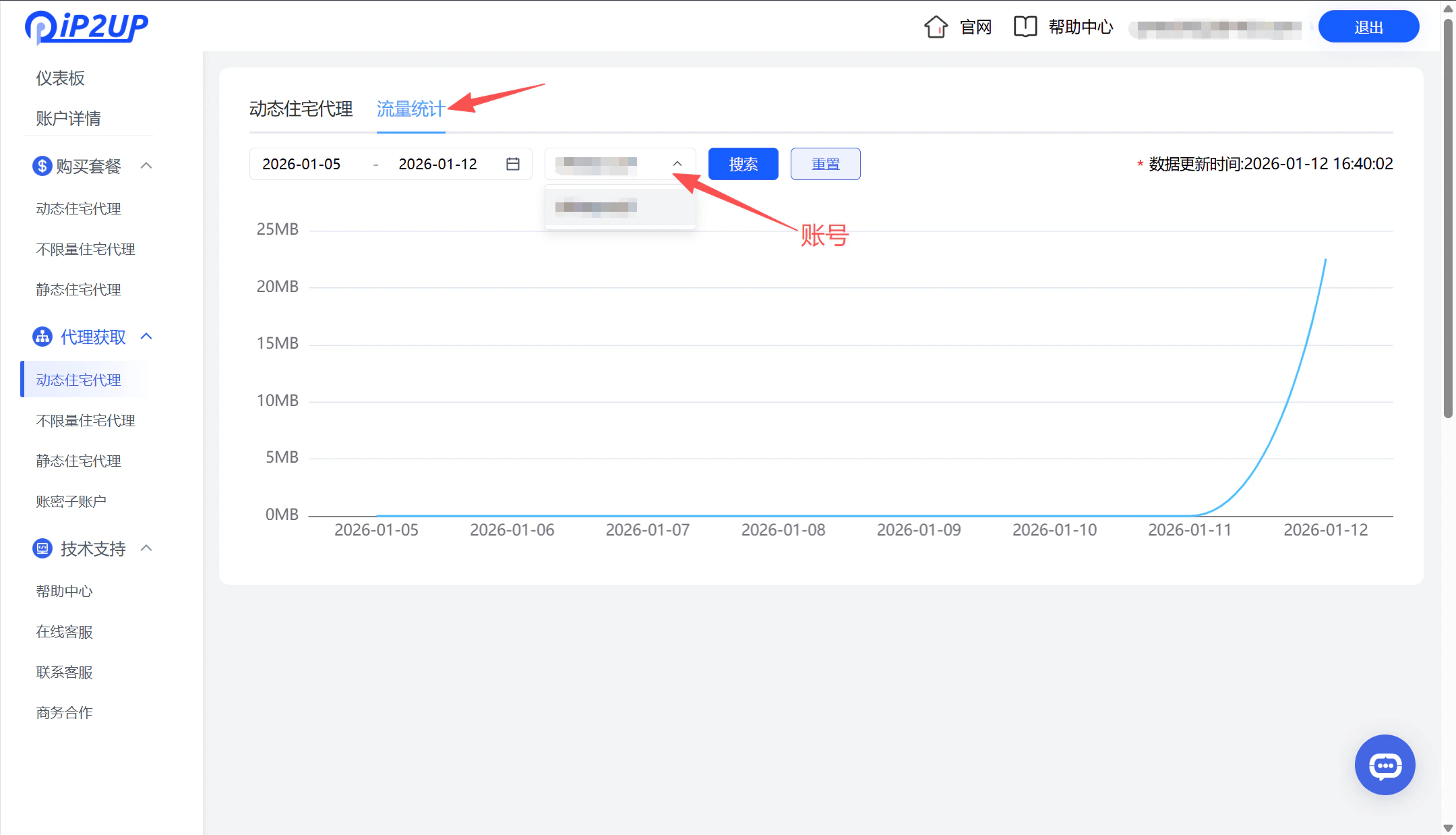
登入後系統自動跳轉至用戶中心儀表板：

1. 點擊左側選單欄中的 **「動態住宅代理」**
2. 頁面顯示已購買的套餐資訊
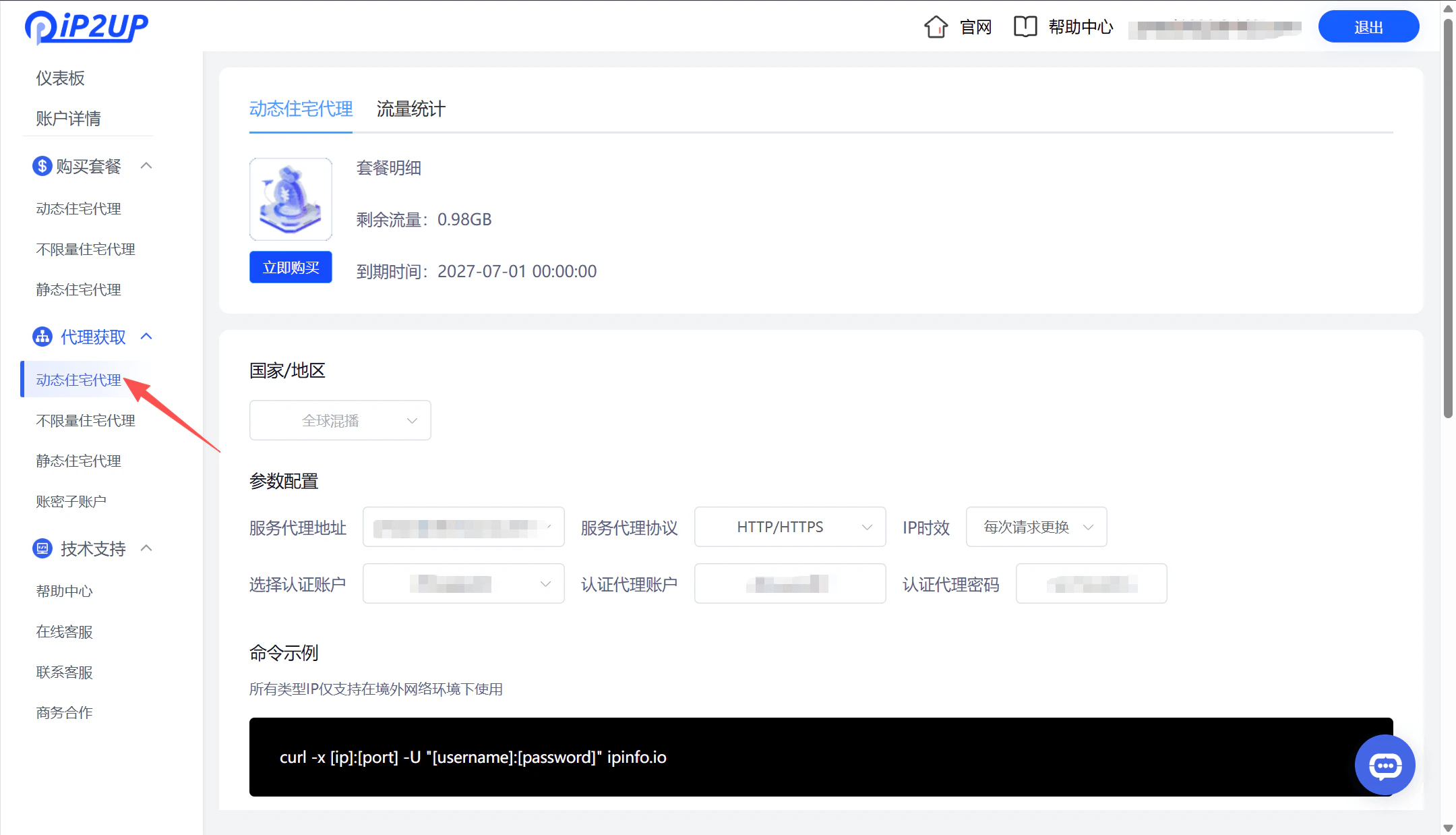
3. 點擊 **「流量統計」**
4. 選擇對應帳號即可查看具體的流量使用詳情
<img src="https://mintcdn.com/acme-2c62d9fa/-I0epiSaeyhL94EG/res/images/LL2.png?fit=max&auto=format&n=-I0epiSaeyhL94EG&q=85&s=1b94b69c68d0f3caadeecfafe3072a64" alt="Ip2up動態住宅代理頁面" width="2160" height="1238" data-path="res/images/LL2.png" />

<img src="https://mintcdn.com/acme-2c62d9fa/-I0epiSaeyhL94EG/res/images/LL3.png?fit=max&auto=format&n=-I0epiSaeyhL94EG&q=85&s=d8bc73a04fd476191b58da4c1dca687c" alt="Ip2up流量統計詳情頁面" width="2160" height="1238" data-path="res/images/LL3.png" />