> ## Documentation Index
> Fetch the complete documentation index at: https://help.ip2up.com/llms.txt
> Use this file to discover all available pages before exploring further.
# Iphone
平台的所有代理產品均需要在海外網路環境下使用,海外網路環境需要客戶自行配置。
在將代理整合到 iPhone 設備前,請確保您已取得有效的代理服務資訊,並已確認代理服務正常運行。
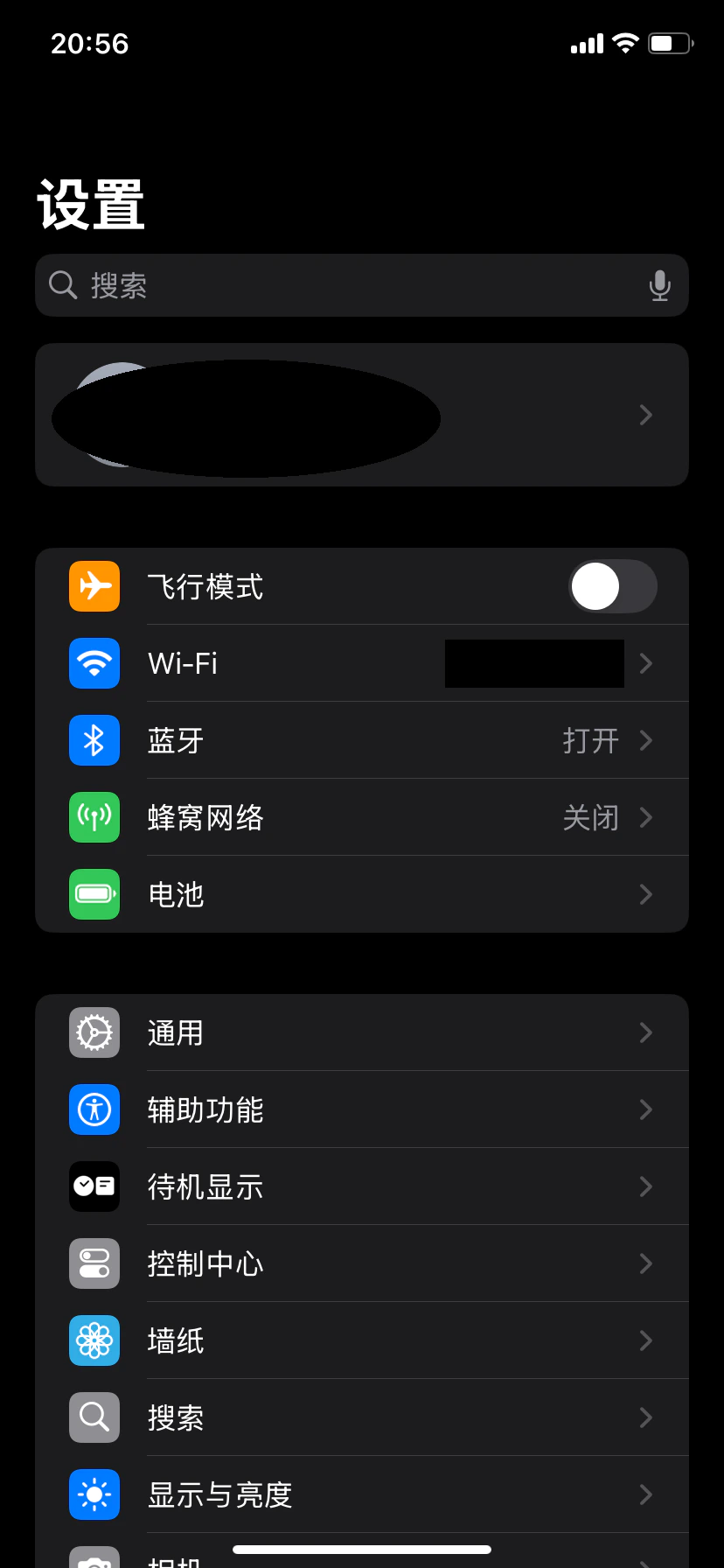
### 1. 進入 Wi-Fi 設定
打開 iPhone 的 **「設定」** → 點擊 **「無線區域網路」**(Wi-Fi)。
 ### 2. 進入已連接網路配置
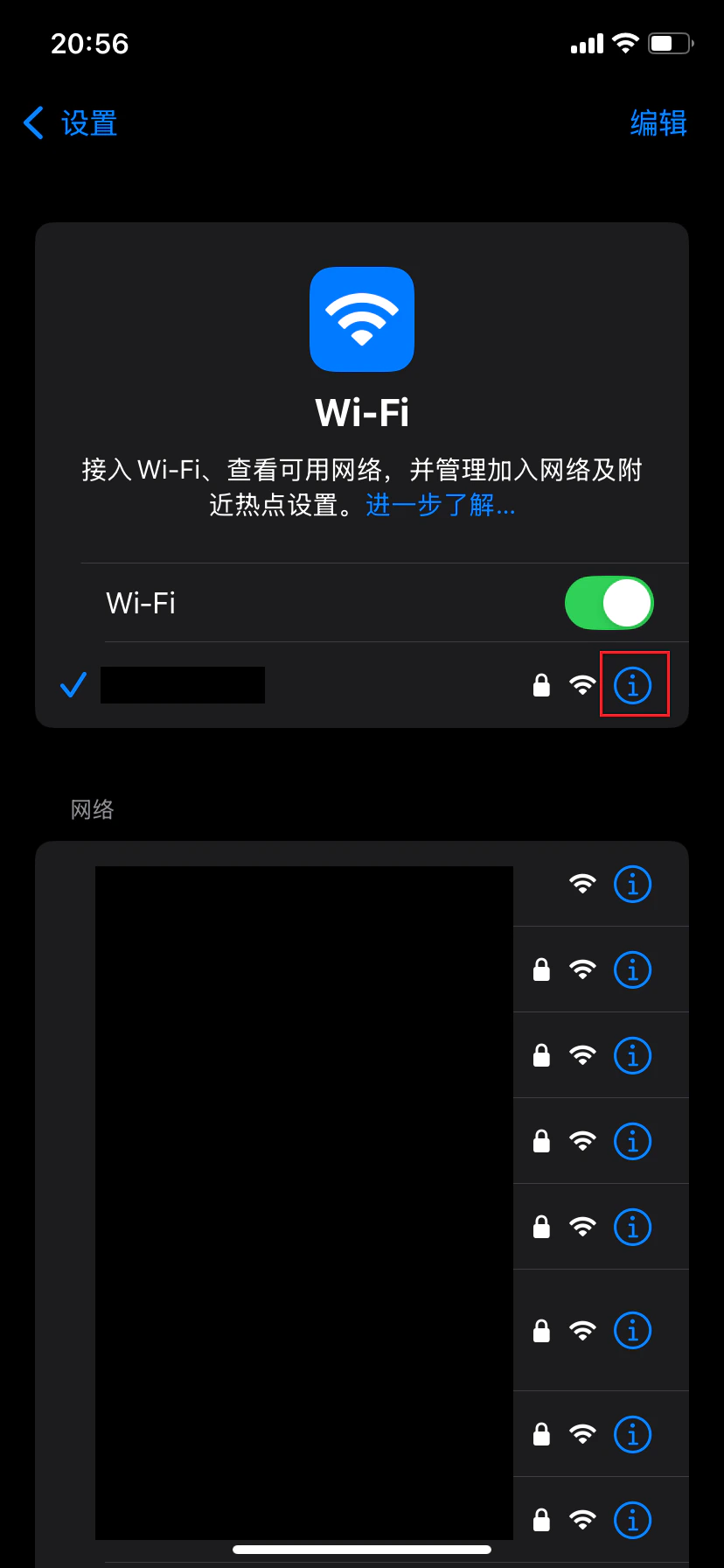
在 Wi-Fi 列表中找到當前已連接的網路,點擊右側的 **「資訊」圖示(i)**,進入網路詳情頁面。
### 2. 進入已連接網路配置
在 Wi-Fi 列表中找到當前已連接的網路,點擊右側的 **「資訊」圖示(i)**,進入網路詳情頁面。
 ### 3. 進入代理配置
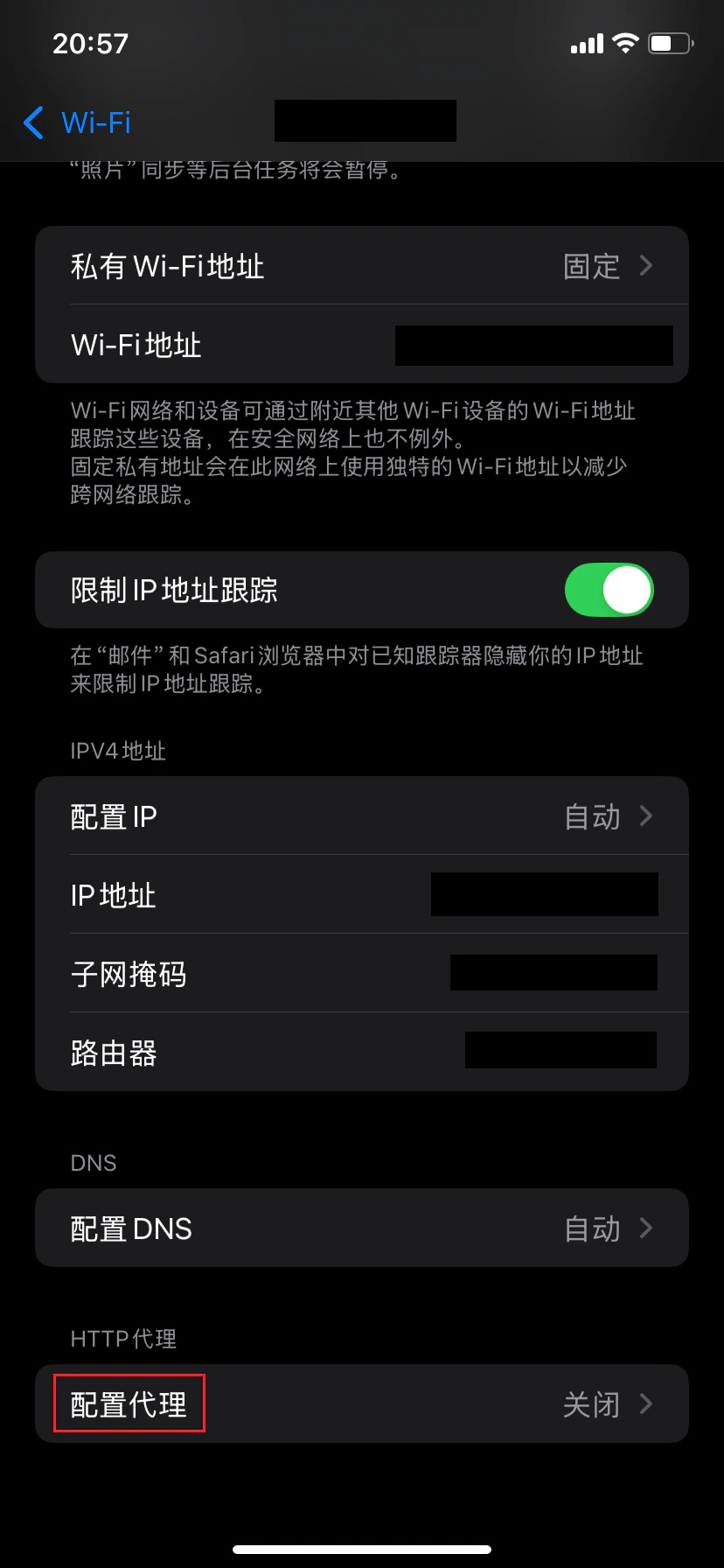
在網路詳情頁面中,向下滑動找到並點擊 **「配置代理」**。
### 3. 進入代理配置
在網路詳情頁面中,向下滑動找到並點擊 **「配置代理」**。
 ### 4. 選擇手動代理模式
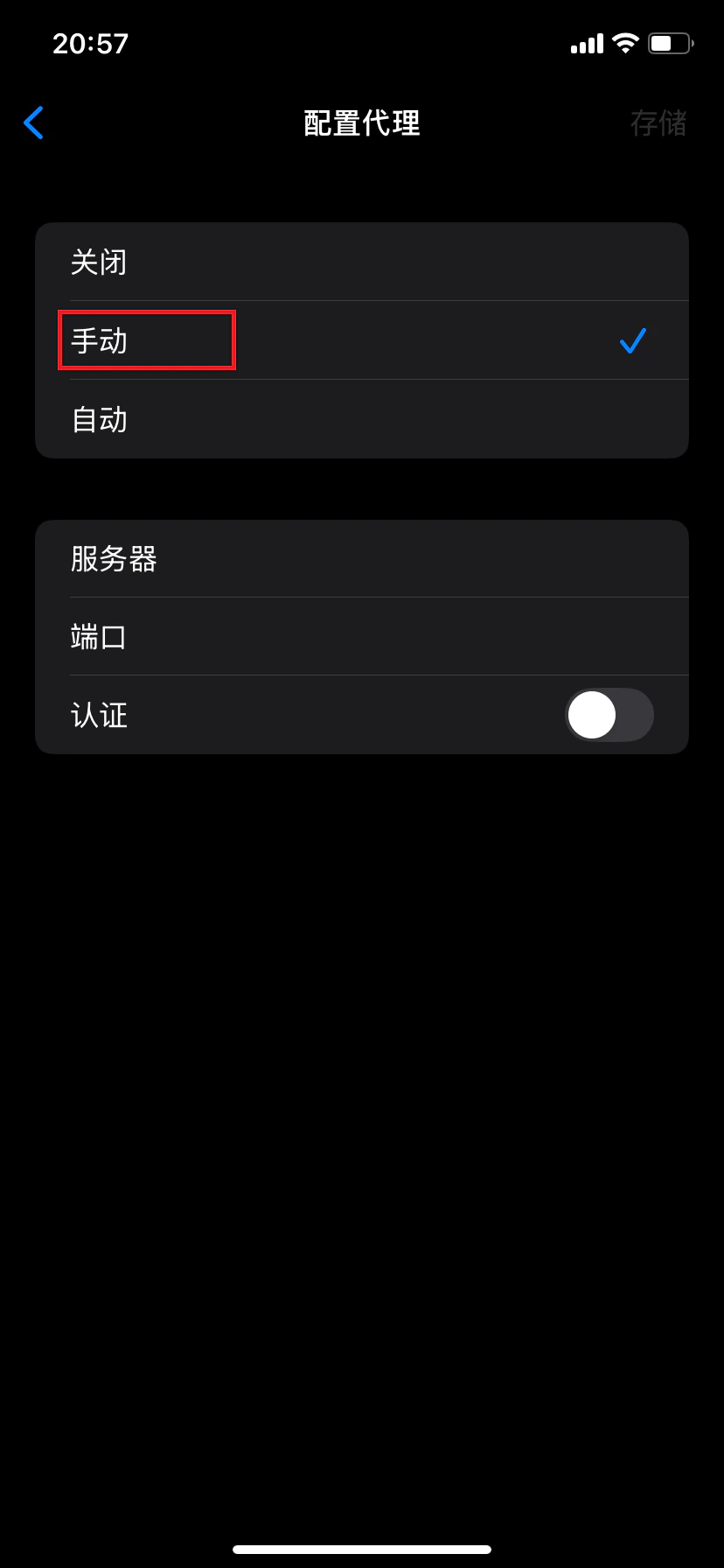
在代理配置頁面中,選擇 **「手動」** 模式。
### 4. 選擇手動代理模式
在代理配置頁面中,選擇 **「手動」** 模式。
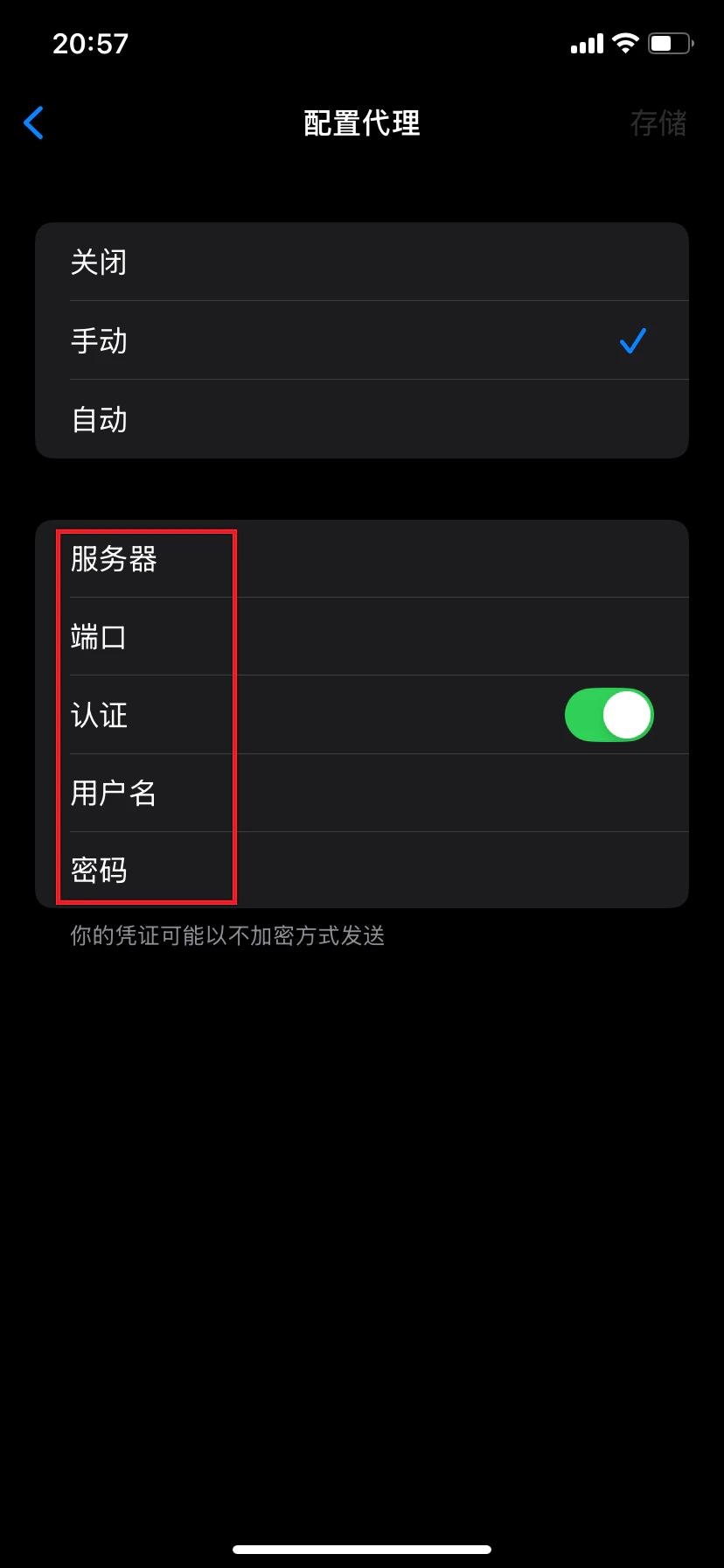
 ### 5. 填寫代理資訊並保存
1. 開啟 **「認證」** 開關
2. 填寫以下資訊:
* **伺服器**:代理伺服器地址
* **端口**:代理服務端口號
* **用戶名**:代理帳號
* **密碼**:代理密碼
3. 點擊右上角 **「儲存」** 保存設定
### 5. 填寫代理資訊並保存
1. 開啟 **「認證」** 開關
2. 填寫以下資訊:
* **伺服器**:代理伺服器地址
* **端口**:代理服務端口號
* **用戶名**:代理帳號
* **密碼**:代理密碼
3. 點擊右上角 **「儲存」** 保存設定
 ### 6. 驗證代理連接
打開瀏覽器,存取 IP 檢測網站,確認顯示的 IP 地址與您配置的代理 IP 一致。若一致,則表示代理設定成功。
### 注意事項
* 此設定為 Wi-Fi 層級代理,僅對當前 Wi-Fi 網路生效
* 切換 Wi-Fi 網路後需重新配置代理
* 請確保代理資訊填寫正確,且代理服務支援您的使用場景
✅ **至此,已成功在 iPhone 設備中完成 Wi-Fi 代理配置,可透過代理伺服器存取網路。**
### 6. 驗證代理連接
打開瀏覽器,存取 IP 檢測網站,確認顯示的 IP 地址與您配置的代理 IP 一致。若一致,則表示代理設定成功。
### 注意事項
* 此設定為 Wi-Fi 層級代理,僅對當前 Wi-Fi 網路生效
* 切換 Wi-Fi 網路後需重新配置代理
* 請確保代理資訊填寫正確,且代理服務支援您的使用場景
✅ **至此,已成功在 iPhone 設備中完成 Wi-Fi 代理配置,可透過代理伺服器存取網路。**