
Log In and View Account Status
Visit the Ip2up official website to log in, and the system will automatically enter the dashboard interface. You can view your wallet balance and proxy plan purchases on this page.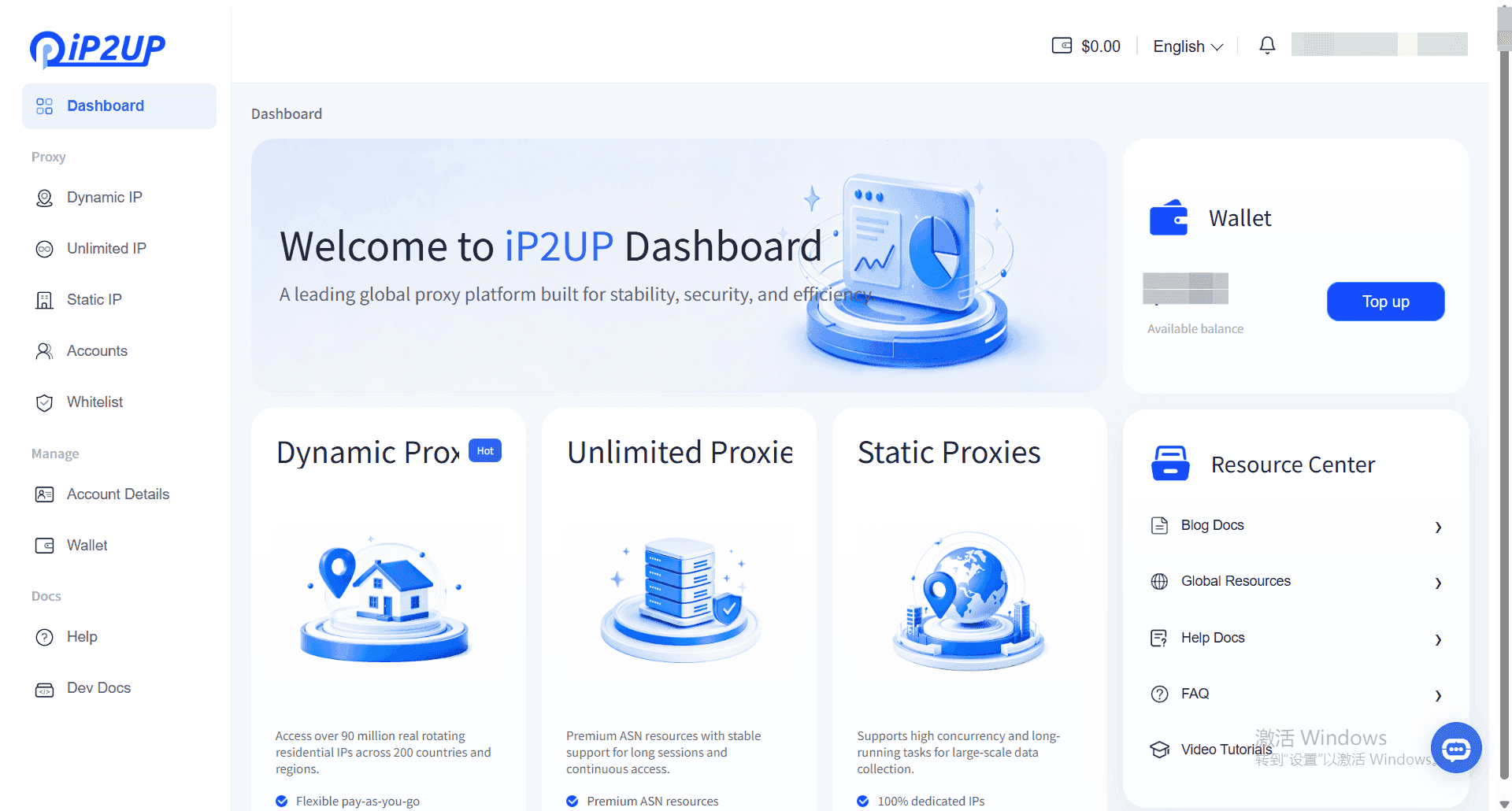
Select and Purchase a Proxy Package
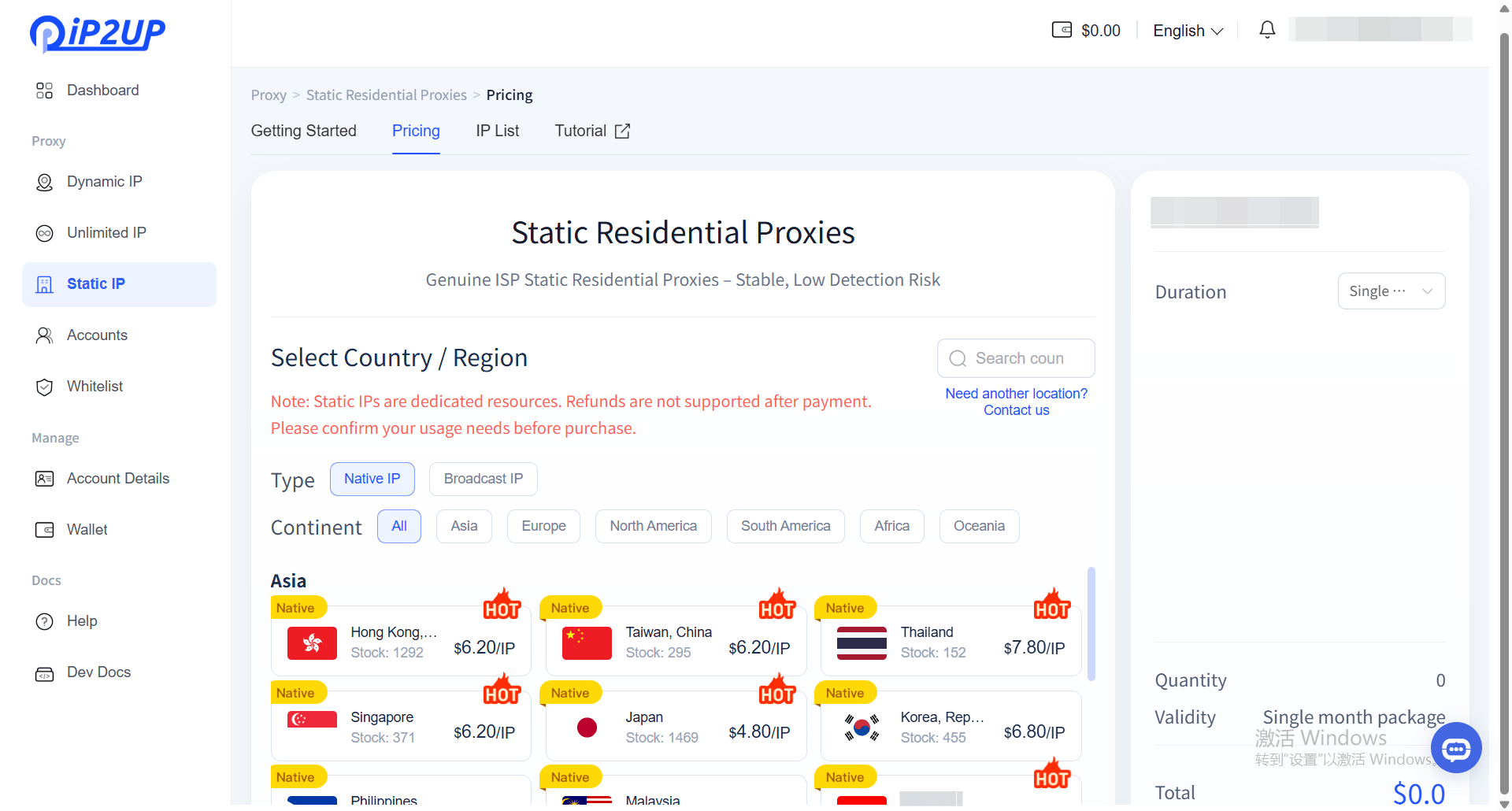
- Click the left menu bar → Static Residential Proxy → click Pricing at the top.
-
Configure the following options based on your needs:
- Country/Region: Select the target country
- IP Type: Choose Native or ISP
- Quantity: Select the required number of IPs
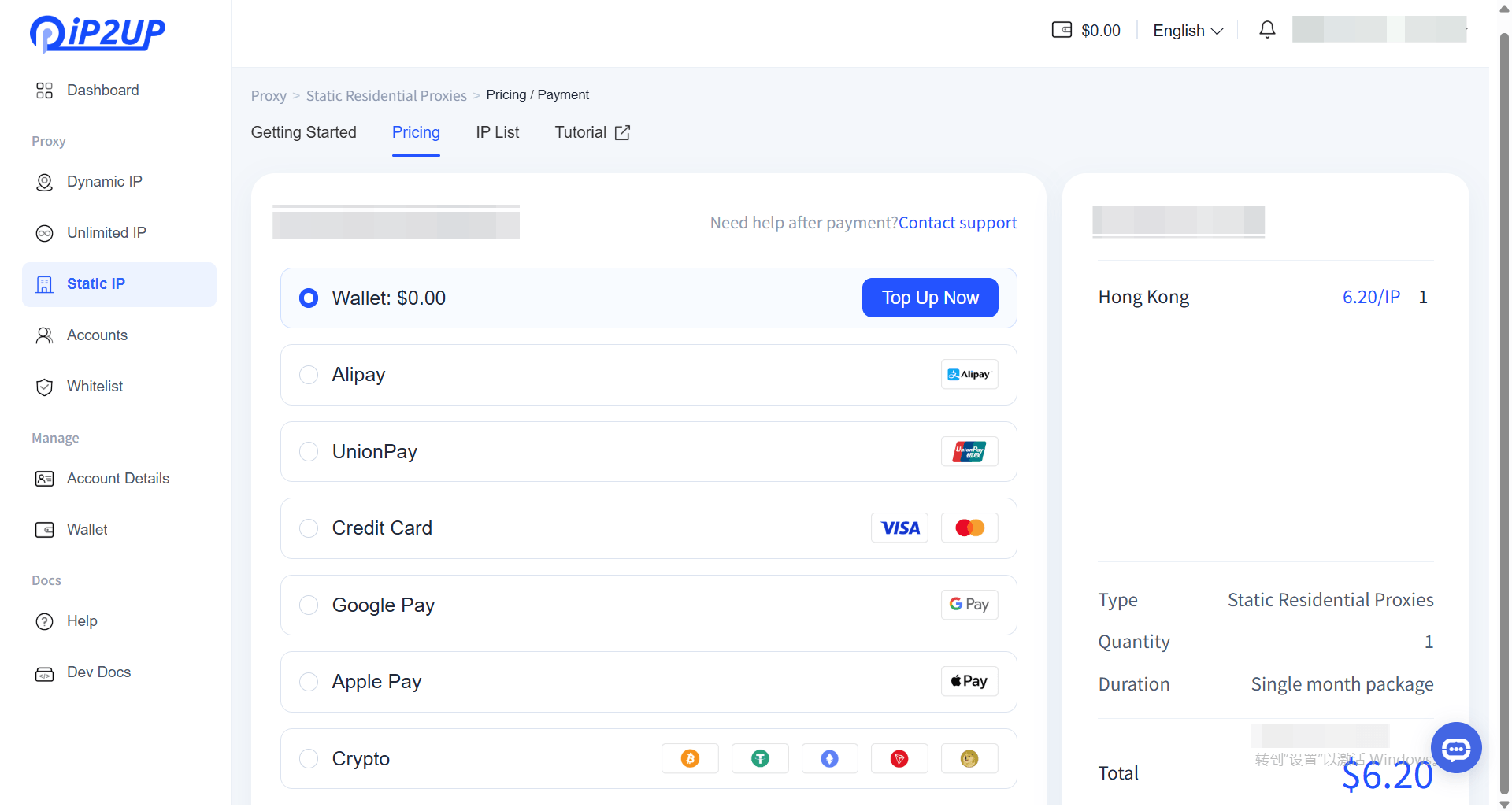
- Click Pay to complete the purchase.
-
Supported payment methods:
- Wallet balance
- Alipay
- UnionPay
- Credit card
- Google Pay
- Apple Pay
- Cryptocurrency payment
View Purchase Results
After payment is completed, you can view the current purchase information and available resource status.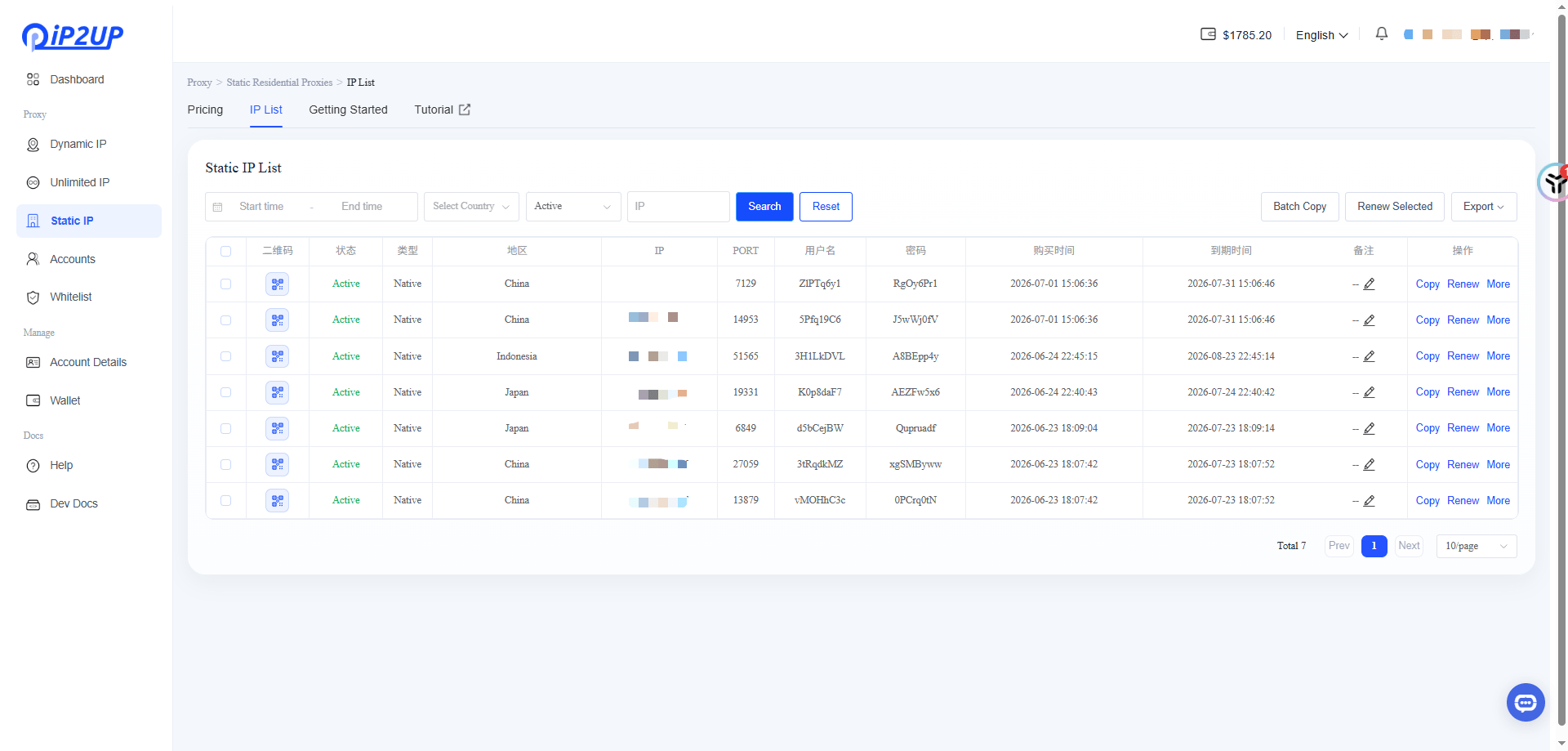
Obtain Proxy Information
- Click the left menu bar → Static Residential Proxy → click IP List at the top.
- On this page, you can view and obtain detailed information of the purchased static IPs, including IP address, port, username, and password.
- Proxy Connectivity Test: You can verify whether the generated proxy information is functioning properly using testing tools (example testing tool: AdsPrower).
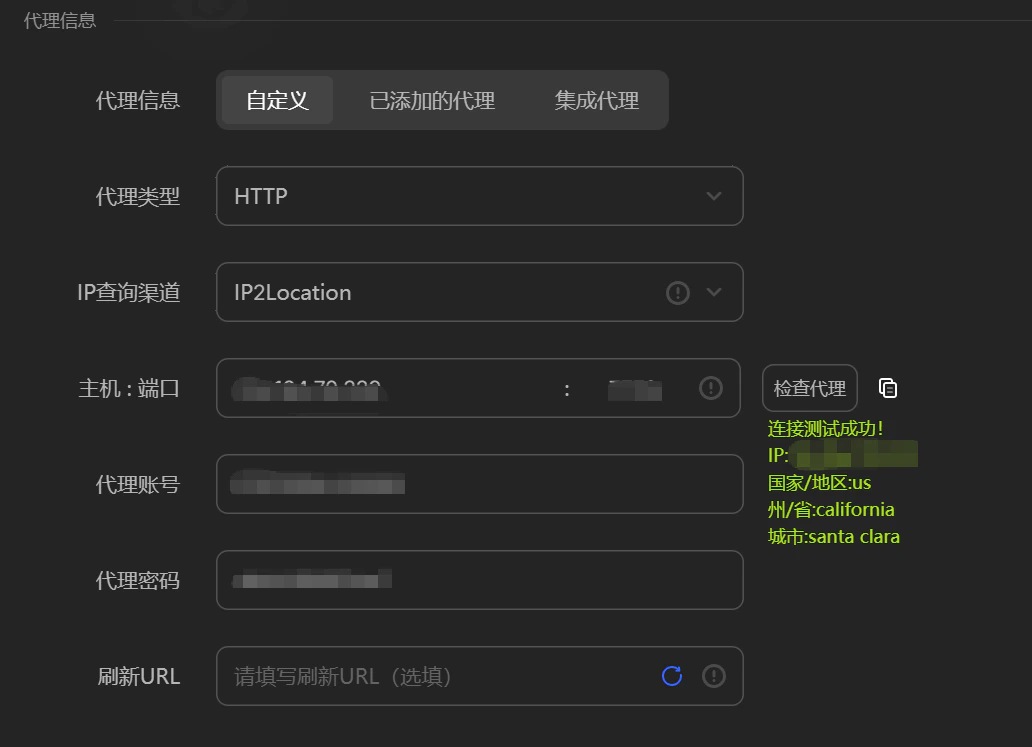
Next Step: For instructions on how to use these proxy IPs in third-party tools (such as fingerprint browsers), please refer to: Third-party Integration Tutorial。