All proxy products of the platform need to be used in an overseas network environment, which requires customers to configure themselves.
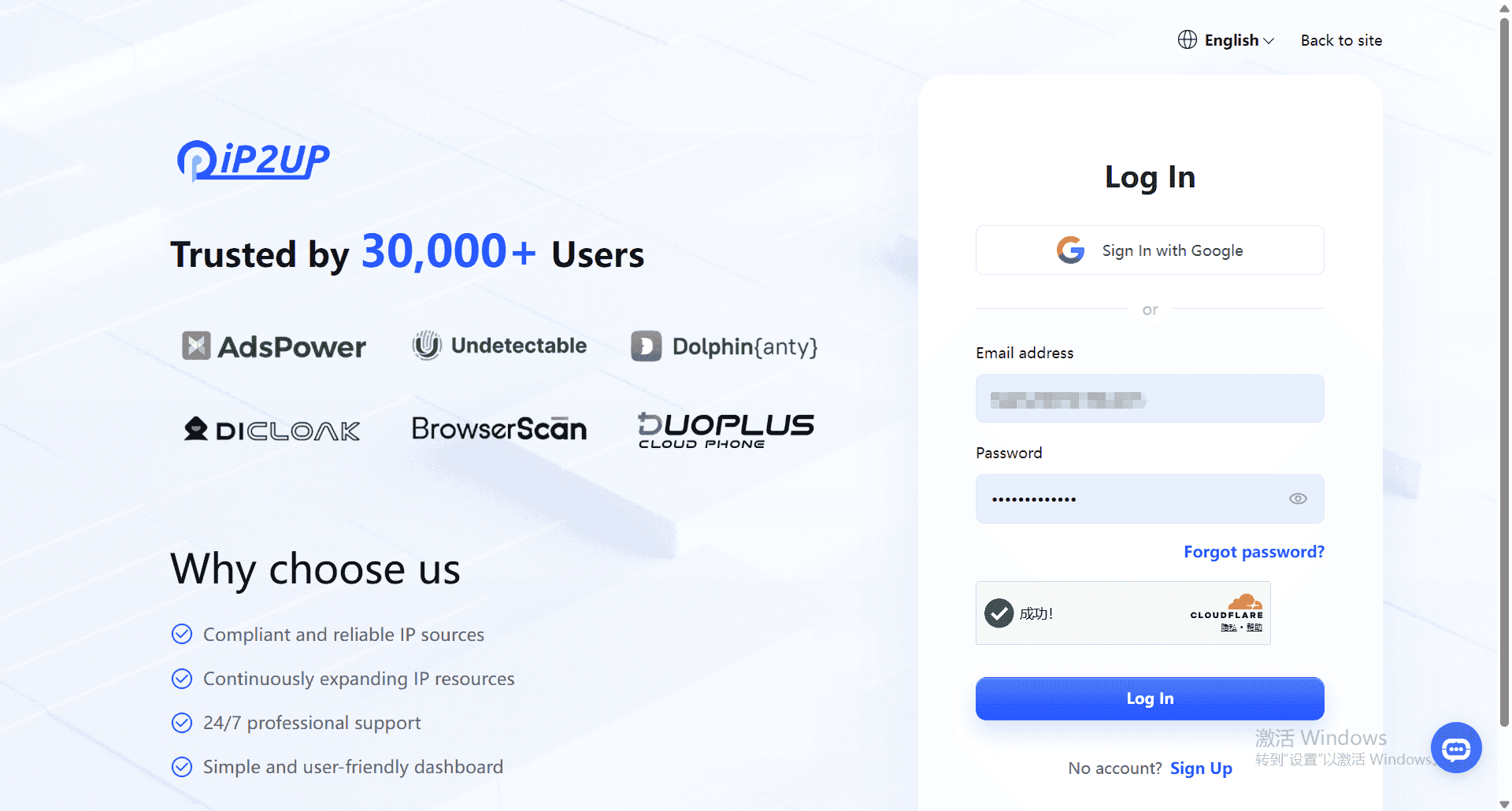
- Open your browser and visit the IP2UP Official Website, then enter your account username and password to log in to the system.
2. Create a Sub-Account
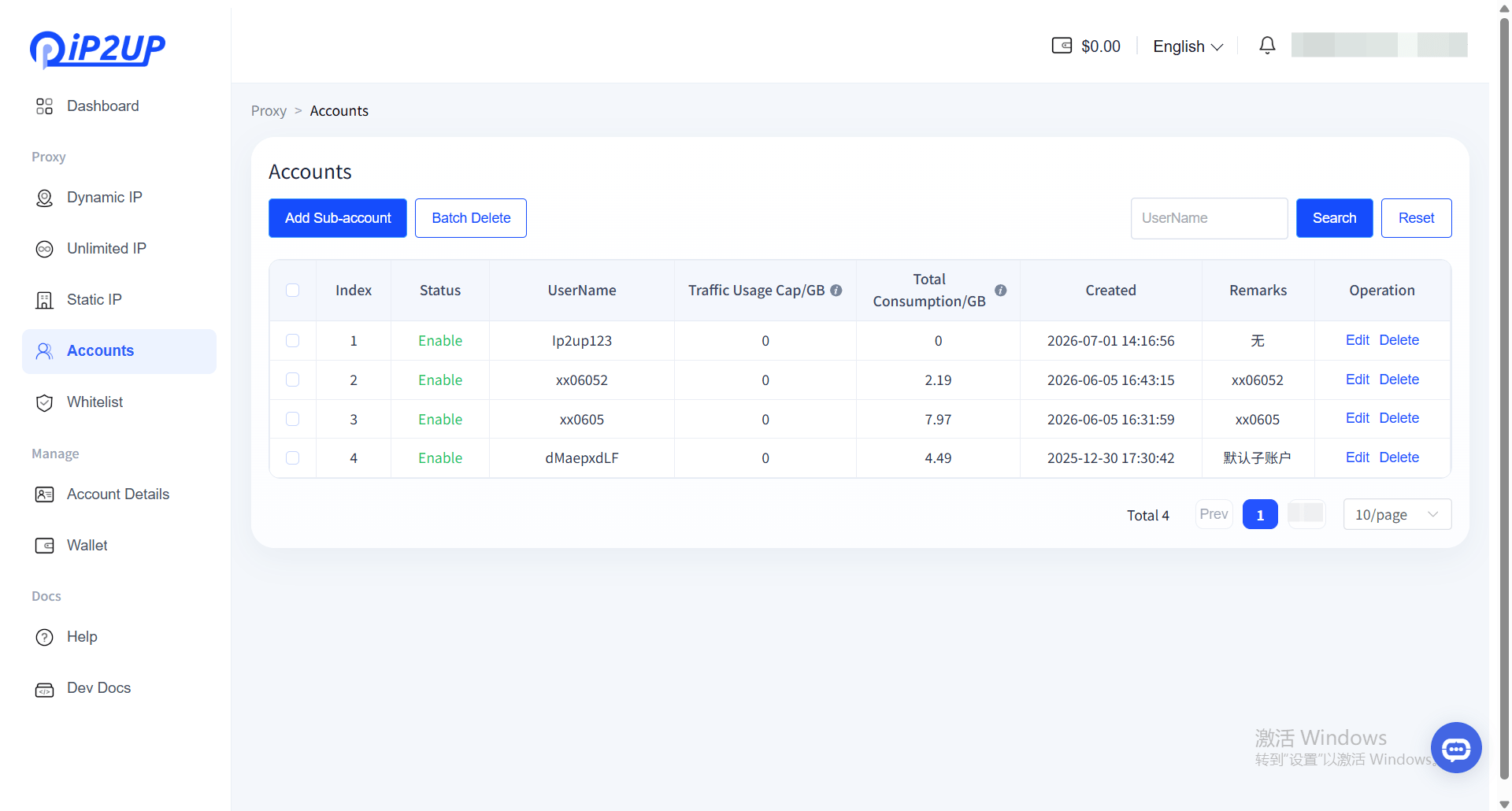
- After logging in successfully, click [Sub-Accounts] in the left-side menu
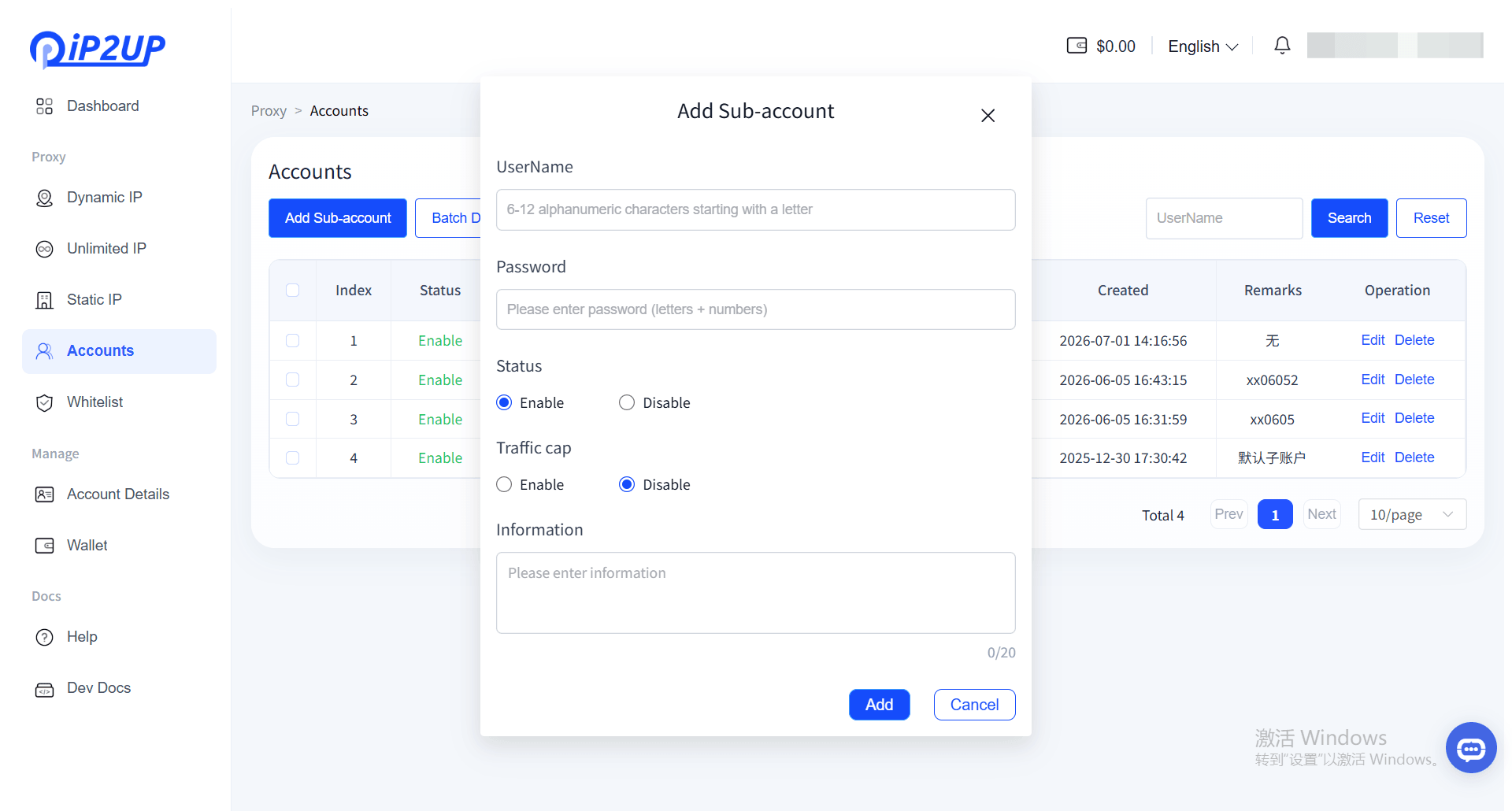
- Click the [Add Sub-Account] button
- In the pop-up edit window, fill in the following information:
- Sub-account name
- Password
- Status (Enable or Disable)
- Unlimited traffic usage
- After completing the form, click [Add]
- The system will display the newly created sub-account information
Last modified on November 10, 2026