
The usage of Dynamic Residential IP is the same as that of Static Residential IP.
Step 1: Preparation
System and Software Requirements- Operating System: Windows (this tutorial uses Windows as an example)
- Installed Software:
- v2rayN (latest version)
- Server Address
- Port Number
- Username
- Password
Step 2: Configure Proxy in v2rayN
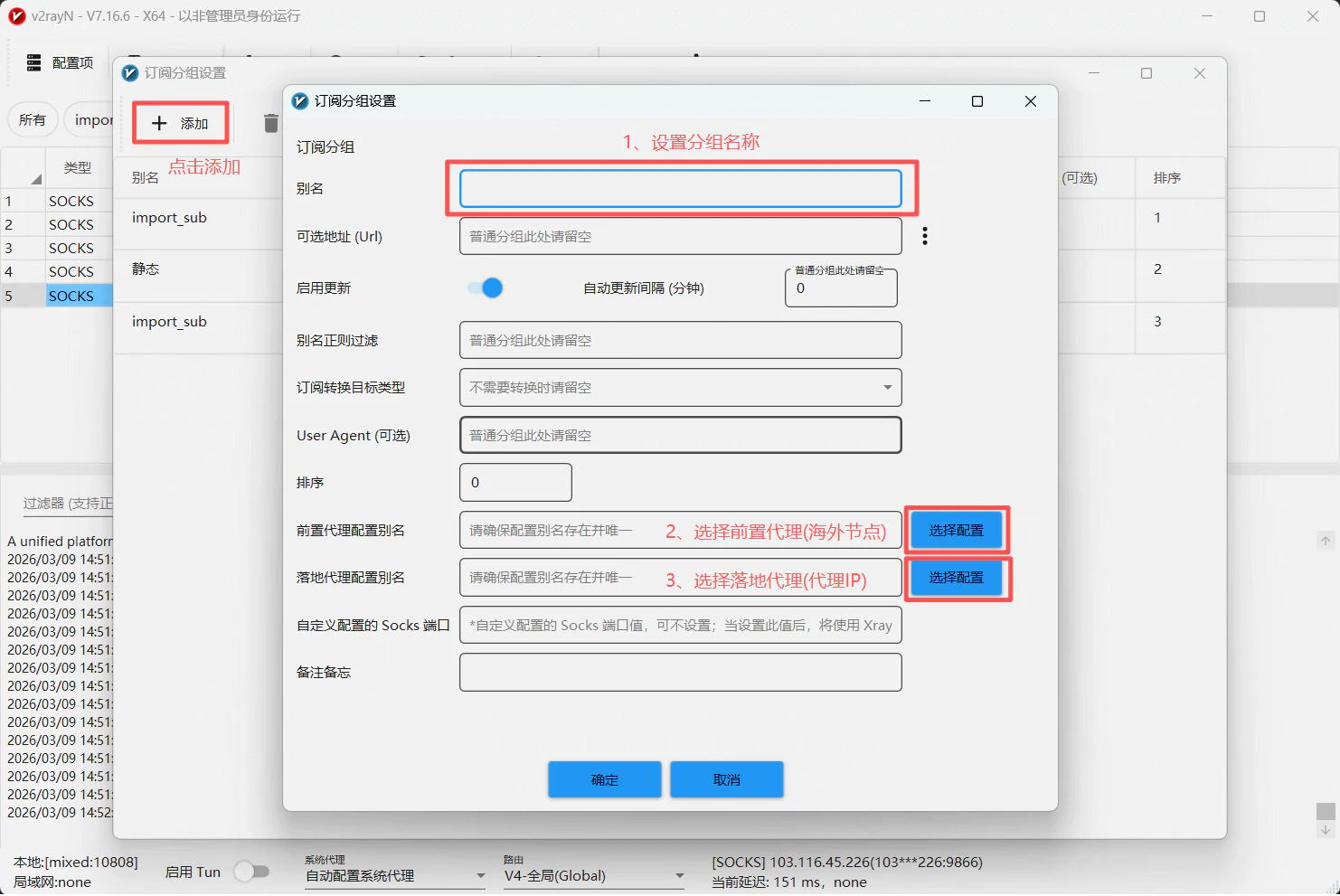
Add Subscription Group- Open the v2rayN software
- In the top menu bar, find the 「Subscription Group」 option
- Click 「Add」
- Fill in the group information:
- Group Name:Custom group identifier
- Front Proxy:Select an overseas node(used to connect to an overseas environment)
- Fallback Proxy:Fill in the Ip2up proxy information
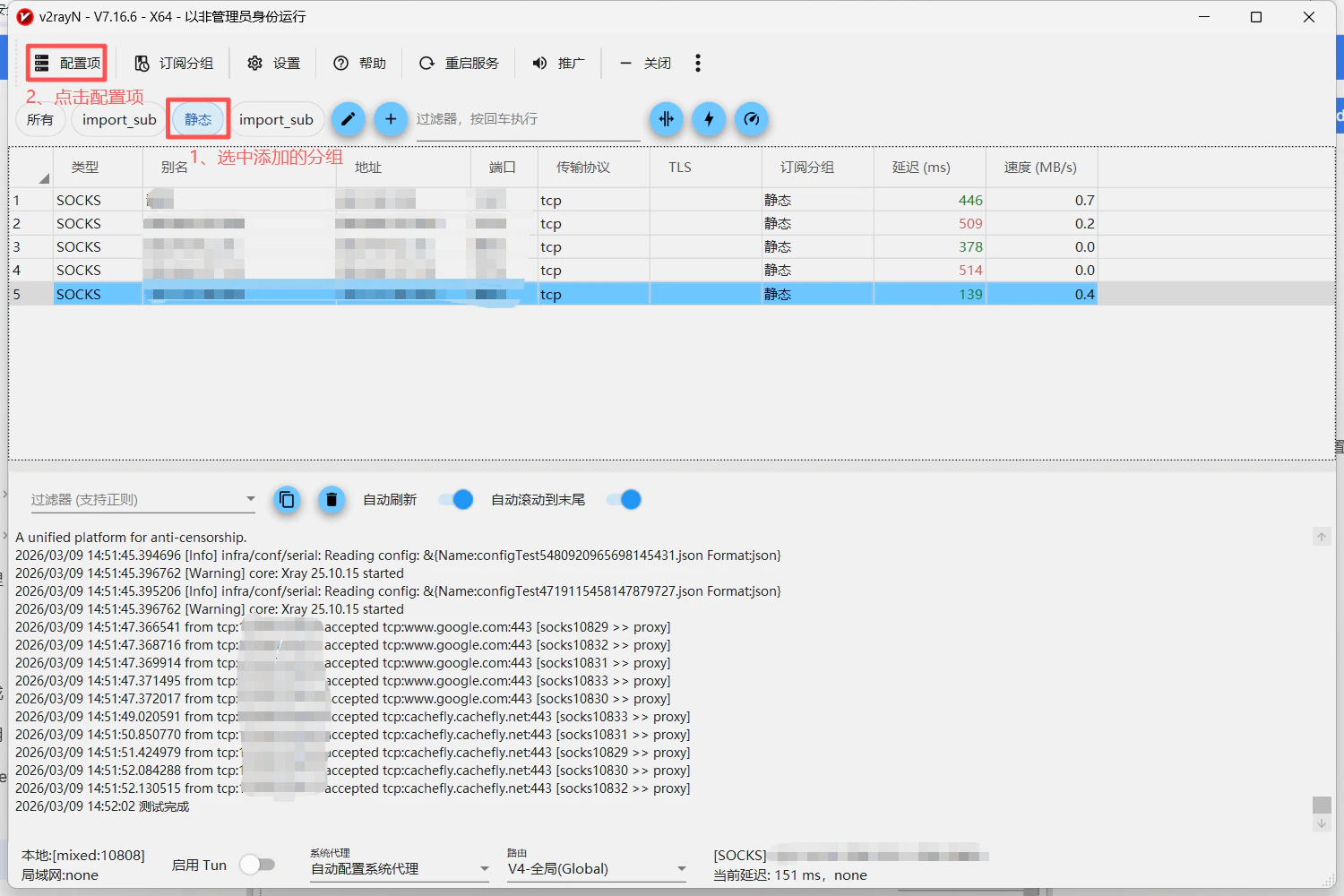
- Select the group you just added
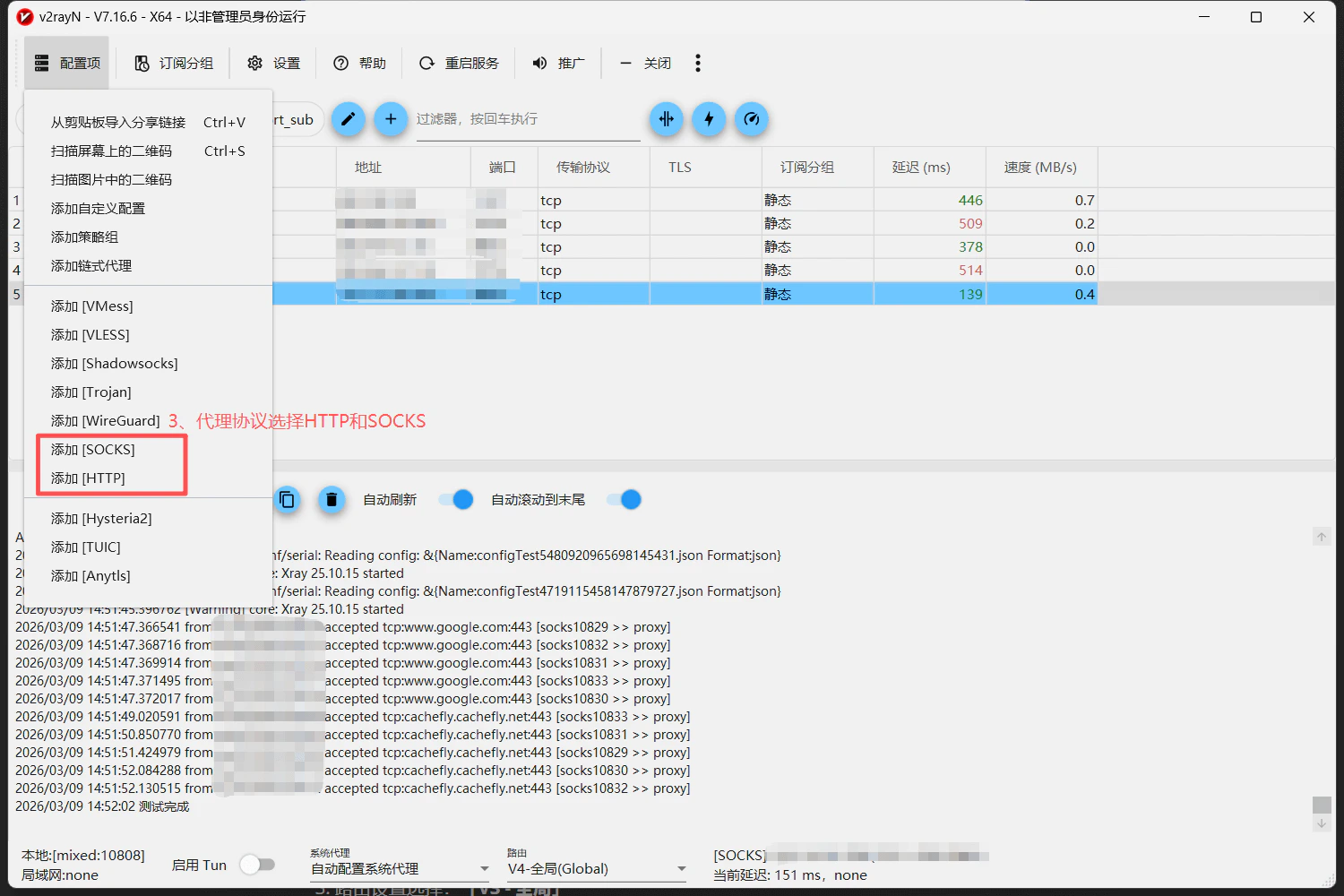
- In the top menu bar, find the 「Configuration Items」 option
- Select the protocol:HTTP Proxy or SOCKS Proxy
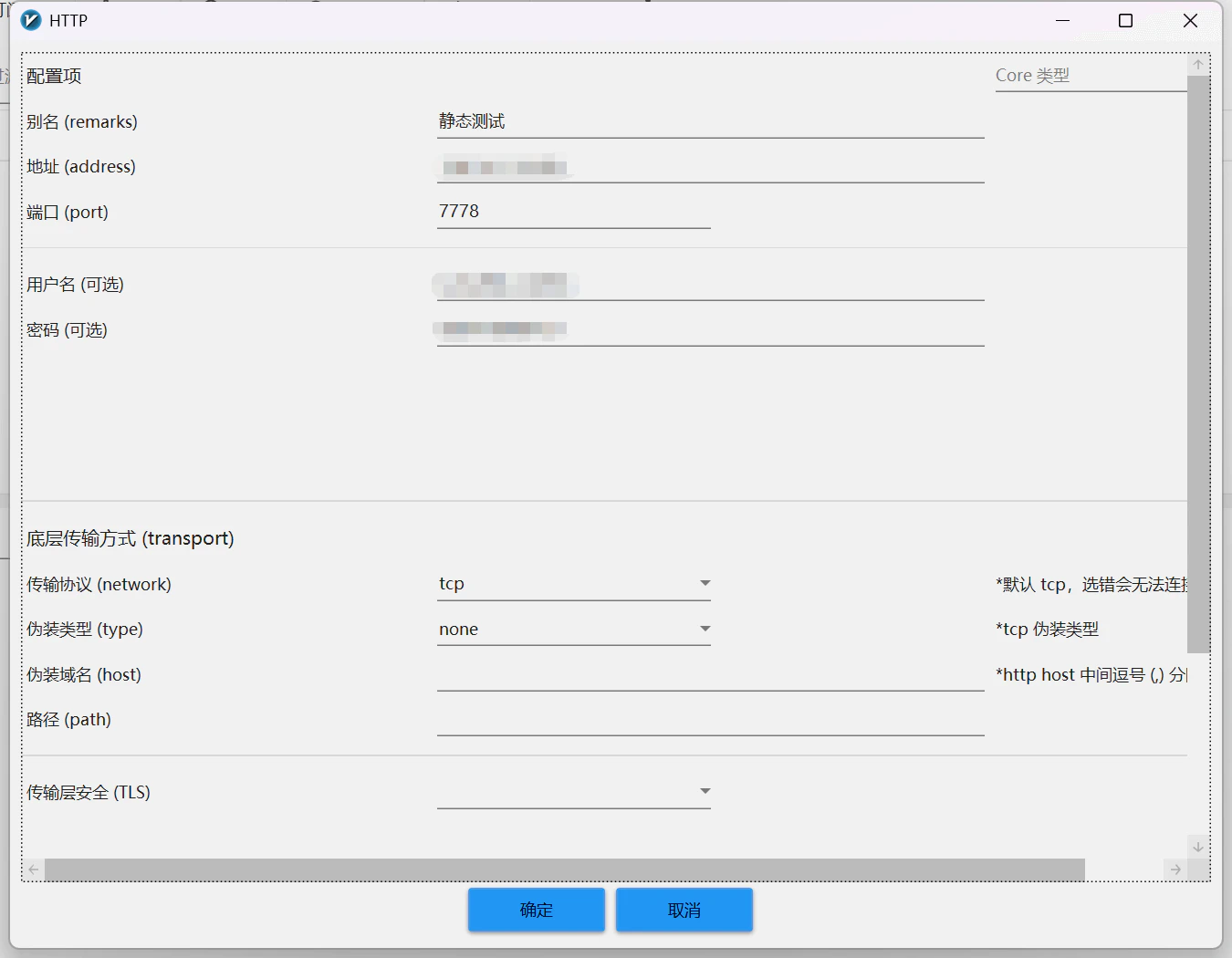
- Fill in the proxy information obtained from Ip2up:
- Address:Server address
- Port:Proxy service port number
- Username:Proxy account
- Password:Proxy password
Step 3: Enable System Proxy
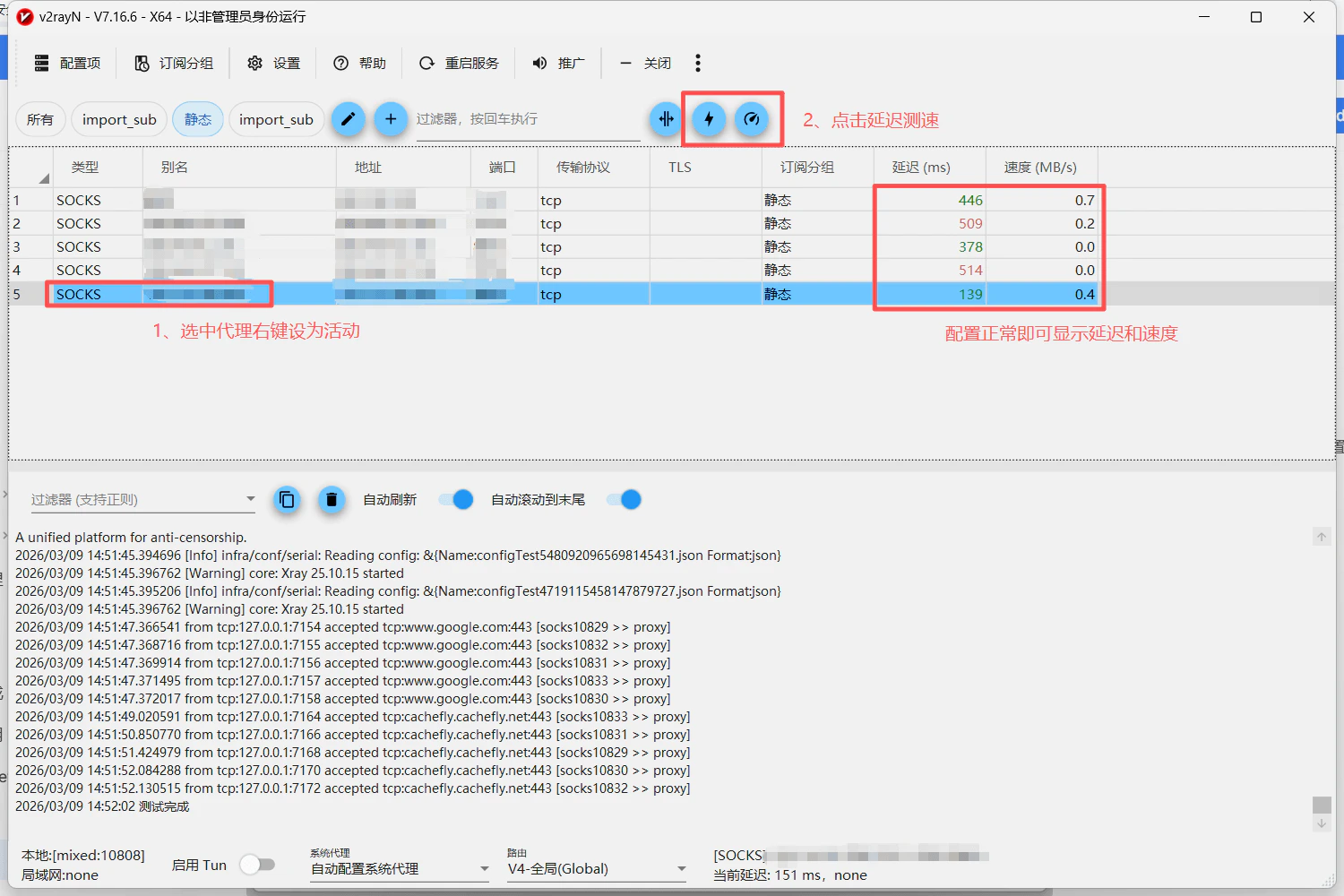
After completing the proxy configuration:- In the v2rayN node list, select the newly added Ip2up proxy
- Right-click the node and select “Set as Active Server”
- Return to the v2rayN main interface
- Enable “System Proxy”
- Select “Auto Configure System Proxy” as the mode
Step 4: Test Proxy Connection
In v2rayN:- Select the configured Ip2up proxy node
- Click “Test Server Latency”
- Check the proxy connection status
Important Notes
- Usage Requirements: Ip2up proxy IP must be used in an overseas network environment. Please configure the overseas network environment in advance
- Software Coordination: Ensure that the configuration steps for v2rayN and Clash Verge are correct to avoid functional conflicts
- Traffic Path: The system traffic path is: Application → v2rayN → Clash Verge → Overseas Node → Target Website
- Performance Impact: Chain proxying may slightly increase latency. It is recommended to choose an exit node with low latency